Skip to content

vedo.plotter

plotter

runtime

Plotter

Main class to manage objects.

Source code in vedo/plotter/runtime.py
 384
 385
 386
 387
 388
 389
 390
 391
 392
 393
 394
 395
 396
 397
 398
 399
 400
 401
 402
 403
 404
 405
 406
 407
 408
 409
 410
 411
 412
 413
 414
 415
 416
 417
 418
 419
 420
 421
 422
 423
 424
 425
 426
 427
 428
 429
 430
 431
 432
 433
 434
 435
 436
 437
 438
 439
 440
 441
 442
 443
 444
 445
 446
 447
 448
 449
 450
 451
 452
 453
 454
 455
 456
 457
 458
 459
 460
 461
 462
 463
 464
 465
 466
 467
 468
 469
 470
 471
 472
 473
 474
 475
 476
 477
 478
 479
 480
 481
 482
 483
 484
 485
 486
 487
 488
 489
 490
 491
 492
 493
 494
 495
 496
 497
 498
 499
 500
 501
 502
 503
 504
 505
 506
 507
 508
 509
 510
 511
 512
 513
 514
 515
 516
 517
 518
 519
 520
 521
 522
 523
 524
 525
 526
 527
 528
 529
 530
 531
 532
 533
 534
 535
 536
 537
 538
 539
 540
 541
 542
 543
 544
 545
 546
 547
 548
 549
 550
 551
 552
 553
 554
 555
 556
 557
 558
 559
 560
 561
 562
 563
 564
 565
 566
 567
 568
 569
 570
 571
 572
 573
 574
 575
 576
 577
 578
 579
 580
 581
 582
 583
 584
 585
 586
 587
 588
 589
 590
 591
 592
 593
 594
 595
 596
 597
 598
 599
 600
 601
 602
 603
 604
 605
 606
 607
 608
 609
 610
 611
 612
 613
 614
 615
 616
 617
 618
 619
 620
 621
 622
 623
 624
 625
 626
 627
 628
 629
 630
 631
 632
 633
 634
 635
 636
 637
 638
 639
 640
 641
 642
 643
 644
 645
 646
 647
 648
 649
 650
 651
 652
 653
 654
 655
 656
 657
 658
 659
 660
 661
 662
 663
 664
 665
 666
 667
 668
 669
 670
 671
 672
 673
 674
 675
 676
 677
 678
 679
 680
 681
 682
 683
 684
 685
 686
 687
 688
 689
 690
 691
 692
 693
 694
 695
 696
 697
 698
 699
 700
 701
 702
 703
 704
 705
 706
 707
 708
 709
 710
 711
 712
 713
 714
 715
 716
 717
 718
 719
 720
 721
 722
 723
 724
 725
 726
 727
 728
 729
 730
 731
 732
 733
 734
 735
 736
 737
 738
 739
 740
 741
 742
 743
 744
 745
 746
 747
 748
 749
 750
 751
 752
 753
 754
 755
 756
 757
 758
 759
 760
 761
 762
 763
 764
 765
 766
 767
 768
 769
 770
 771
 772
 773
 774
 775
 776
 777
 778
 779
 780
 781
 782
 783
 784
 785
 786
 787
 788
 789
 790
 791
 792
 793
 794
 795
 796
 797
 798
 799
 800
 801
 802
 803
 804
 805
 806
 807
 808
 809
 810
 811
 812
 813
 814
 815
 816
 817
 818
 819
 820
 821
 822
 823
 824
 825
 826
 827
 828
 829
 830
 831
 832
 833
 834
 835
 836
 837
 838
 839
 840
 841
 842
 843
 844
 845
 846
 847
 848
 849
 850
 851
 852
 853
 854
 855
 856
 857
 858
 859
 860
 861
 862
 863
 864
 865
 866
 867
 868
 869
 870
 871
 872
 873
 874
 875
 876
 877
 878
 879
 880
 881
 882
 883
 884
 885
 886
 887
 888
 889
 890
 891
 892
 893
 894
 895
 896
 897
 898
 899
 900
 901
 902
 903
 904
 905
 906
 907
 908
 909
 910
 911
 912
 913
 914
 915
 916
 917
 918
 919
 920
 921
 922
 923
 924
 925
 926
 927
 928
 929
 930
 931
 932
 933
 934
 935
 936
 937
 938
 939
 940
 941
 942
 943
 944
 945
 946
 947
 948
 949
 950
 951
 952
 953
 954
 955
 956
 957
 958
 959
 960
 961
 962
 963
 964
 965
 966
 967
 968
 969
 970
 971
 972
 973
 974
 975
 976
 977
 978
 979
 980
 981
 982
 983
 984
 985
 986
 987
 988
 989
 990
 991
 992
 993
 994
 995
 996
 997
 998
 999
1000
1001
1002
1003
1004
1005
1006
1007
1008
1009
1010
1011
1012
1013
1014
1015
1016
1017
1018
1019
1020
1021
1022
1023
1024
1025
1026
1027
1028
1029
1030
1031
1032
1033
1034
1035
1036
1037
1038
1039
1040
1041
1042
1043
1044
1045
1046
1047
1048
1049
1050
1051
1052
1053
1054
1055
1056
1057
1058
1059
1060
1061
1062
1063
1064
1065
1066
1067
1068
1069
1070
1071
1072
1073
1074
1075
1076
1077
1078
1079
1080
1081
1082
1083
1084
1085
1086
1087
1088
1089
1090
1091
1092
1093
1094
1095
1096
1097
1098
1099
1100
1101
1102
1103
1104
1105
1106
1107
1108
1109
1110
1111
1112
1113
1114
1115
1116
1117
1118
1119
1120
1121
1122
1123
1124
1125
1126
1127
1128
1129
1130
1131
1132
1133
1134
1135
1136
1137
1138
1139
1140
1141
1142
1143
1144
1145
1146
1147
1148
1149
1150
1151
1152
1153
1154
1155
1156
1157
1158
1159
1160
1161
1162
1163
1164
1165
1166
1167
1168
1169
1170
1171
1172
1173
1174
1175
1176
1177
1178
1179
1180
1181
1182
1183
1184
1185
1186
1187
1188
1189
1190
1191
1192
1193
1194
1195
1196
1197
1198
1199
1200
1201
1202
1203
1204
1205
1206
1207
1208
1209
1210
1211
1212
1213
1214
1215
1216
1217
1218
1219
1220
1221
1222
1223
1224
1225
1226
1227
1228
1229
1230
1231
1232
1233
1234
1235
1236
1237
1238
1239
1240
1241
1242
1243
1244
1245
1246
1247
1248
1249
1250
1251
1252
1253
1254
1255
1256
1257
1258
1259
1260
1261
1262
1263
1264
1265
1266
1267
1268
1269
1270
1271
1272
1273
1274
1275
1276
1277
1278
1279
1280
1281
1282
1283
1284
1285
1286
1287
1288
1289
1290
1291
1292
1293
1294
1295
1296
1297
1298
1299
1300
1301
1302
1303
1304
1305
1306
1307
1308
1309
1310
1311
1312
1313
1314
1315
1316
1317
1318
1319
1320
1321
1322
1323
1324
1325
1326
1327
1328
1329
1330
1331
1332
1333
1334
1335
1336
1337
1338
1339
1340
1341
1342
1343
1344
1345
1346
1347
1348
1349
1350
1351
1352
1353
1354
1355
1356
1357
1358
1359
1360
1361
1362
1363
1364
1365
1366
1367
1368
1369
1370
1371
1372
1373
1374
1375
1376
1377
1378
1379
1380
1381
1382
1383
1384
1385
1386
1387
1388
1389
1390
1391
1392
1393
1394
1395
1396
1397
1398
1399
1400
1401
1402
1403
1404
1405
1406
1407
1408
1409
1410
1411
1412
1413
1414
1415
1416
1417
1418
1419
1420
1421
1422
1423
1424
1425
1426
1427
1428
1429
1430
1431
1432
1433
1434
1435
1436
1437
1438
1439
1440
1441
1442
1443
1444
1445
1446
1447
1448
1449
1450
1451
1452
1453
1454
1455
1456
1457
1458
1459
1460
1461
1462
1463
1464
1465
1466
1467
1468
1469
1470
1471
1472
1473
1474
1475
1476
1477
1478
1479
1480
1481
1482
1483
1484
1485
1486
1487
1488
1489
1490
1491
1492
1493
1494
1495
1496
1497
1498
1499
1500
1501
1502
1503
1504
1505
1506
1507
1508
1509
1510
1511
1512
1513
1514
1515
1516
1517
1518
1519
1520
1521
1522
1523
1524
1525
1526
1527
1528
1529
1530
1531
1532
1533
1534
1535
1536
1537
1538
1539
1540
1541
1542
1543
1544
1545
1546
1547
1548
1549
1550
1551
1552
1553
1554
1555
1556
1557
1558
1559
1560
1561
1562
1563
1564
1565
1566
1567
1568
1569
1570
1571
1572
1573
1574
1575
1576
1577
1578
1579
1580
1581
1582
1583
1584
1585
1586
1587
1588
1589
1590
1591
1592
1593
1594
1595
1596
1597
1598
1599
1600
1601
1602
1603
1604
1605
1606
1607
1608
1609
1610
1611
1612
1613
1614
1615
1616
1617
1618
1619
1620
1621
1622
1623
1624
1625
1626
1627
1628
1629
1630
1631
1632
1633
1634
1635
1636
1637
1638
1639
1640
1641
1642
1643
1644
1645
1646
1647
1648
1649
1650
1651
1652
1653
1654
1655
1656
1657
1658
1659
1660
1661
1662
1663
1664
1665
1666
1667
1668
1669
1670
1671
1672
1673
1674
1675
1676
1677
1678
1679
1680
1681
1682
1683
1684
1685
1686
1687
1688
1689
1690
1691
1692
1693
1694
1695
1696
1697
1698
1699
1700
1701
1702
1703
1704
1705
1706
1707
1708
1709
1710
1711
1712
1713
1714
1715
1716
1717
1718
1719
1720
1721
1722
1723
1724
1725
1726
1727
1728
1729
1730
1731
1732
1733
1734
1735
1736
1737
1738
1739
1740
1741
1742
1743
1744
1745
1746
1747
1748
1749
1750
1751
1752
1753
1754
1755
1756
1757
1758
1759
1760
1761
1762
1763
1764
1765
1766
1767
1768
1769
1770
1771
1772
1773
1774
1775
1776
1777
1778
1779
1780
1781
1782
1783
1784
1785
1786
1787
1788
1789
1790
1791
1792
1793
1794
1795
1796
1797
1798
1799
1800
1801
1802
1803
1804
1805
1806
1807
1808
1809
1810
1811
1812
1813
1814
1815
1816
1817
1818
1819
1820
1821
1822
1823
1824
1825
1826
1827
1828
1829
1830
1831
1832
1833
1834
1835
1836
1837
1838
1839
1840
1841
1842
1843
1844
1845
1846
1847
1848
1849
1850
1851
1852
1853
1854
1855
1856
1857
1858
1859
1860
1861
1862
1863
1864
1865
1866
1867
1868
1869
1870
1871
1872
1873
1874
1875
1876
1877
1878
1879
1880
1881
1882
1883
1884
1885
1886
1887
1888
1889
1890
1891
1892
1893
1894
1895
1896
1897
1898
1899
1900
1901
1902
1903
1904
1905
1906
1907
1908
1909
1910
1911
1912
1913
1914
1915
1916
1917
1918
1919
1920
1921
1922
1923
1924
1925
1926
1927
1928
1929
1930
1931
1932
1933
1934
1935
1936
1937
1938
1939
1940
1941
1942
1943
1944
1945
1946
1947
1948
1949
1950
1951
1952
1953
1954
1955
1956
1957
1958
1959
1960
1961
1962
1963
1964
1965
1966
1967
1968
1969
1970
1971
1972
1973
1974
1975
1976
1977
1978
1979
1980
1981
1982
1983
1984
1985
1986
1987
1988
1989
1990
1991
1992
1993
1994
1995
1996
1997
1998
1999
2000
2001
2002
2003
2004
2005
2006
2007
2008
2009
2010
2011
2012
2013
2014
2015
2016
2017
2018
2019
2020
2021
2022
2023
2024
2025
2026
2027
2028
2029
2030
2031
2032
2033
2034
2035
2036
2037
2038
2039
2040
2041
2042
2043
2044
2045
2046
2047
2048
2049
2050
2051
2052
2053
2054
2055
2056
2057
2058
2059
2060
2061
2062
2063
2064
2065
2066
2067
2068
2069
2070
2071
2072
2073
2074
2075
2076
2077
2078
2079
2080
2081
2082
2083
2084
2085
2086
2087
2088
2089
2090
2091
2092
2093
2094
2095
2096
2097
2098
2099
2100
2101
2102
2103
2104
2105
2106
2107
2108
2109
2110
2111
2112
2113
2114
2115
2116
2117
2118
2119
2120
2121
2122
2123
2124
2125
2126
2127
2128
2129
2130
2131
2132
2133
2134
2135
2136
2137
2138
2139
2140
2141
2142
2143
2144
2145
2146
2147
2148
2149
2150
2151
2152
2153
2154
2155
2156
2157
2158
2159
2160
2161
2162
2163
2164
2165
2166
2167
2168
2169
2170
2171
2172
2173
2174
2175
2176
2177
2178
2179
2180
2181
2182
2183
2184
2185
2186
2187
2188
2189
2190
2191
2192
2193
2194
2195
2196
2197
2198
2199
2200
2201
2202
2203
2204
2205
2206
2207
2208
2209
2210
2211
2212
2213
2214
2215
2216
2217
2218
2219
2220
2221
2222
2223
2224
2225
2226
2227
2228
2229
2230
2231
2232
2233
2234
2235
2236
2237
2238
2239
2240
2241
2242
2243
2244
2245
2246
2247
2248
2249
2250
2251
2252
2253
2254
2255
2256
2257
2258
2259
2260
2261
2262
2263
2264
2265
2266
2267
2268
2269
2270
2271
2272
2273
2274
2275
2276
2277
2278
2279
2280
2281
2282
2283
2284
2285
2286
2287
2288
2289
2290
2291
2292
2293
2294
2295
2296
2297
2298
2299
2300
2301
2302
2303
2304
2305
2306
2307
2308
2309
2310
2311
2312
2313
2314
2315
2316
2317
2318
2319
2320
2321
2322
2323
2324
2325
2326
2327
2328
2329
2330
2331
2332
2333
2334
2335
2336
2337
2338
2339
2340
2341
2342
2343
2344
2345
2346
2347
2348
2349
2350
2351
2352
2353
2354
2355
2356
2357
2358
2359
2360
2361
2362
2363
2364
2365
2366
2367
2368
2369
2370
2371
2372
2373
2374
2375
2376
2377
2378
2379
2380
2381
2382
2383
2384
2385
2386
2387
2388
2389
2390
2391
2392
2393
2394
2395
2396
2397
2398
2399
2400
2401
2402
2403
2404
2405
2406
2407
2408
2409
2410
2411
2412
2413
2414
2415
2416
2417
2418
2419
2420
2421
2422
2423
2424
2425
2426
2427
2428
2429
2430
2431
2432
2433
2434
2435
2436
2437
2438
2439
2440
2441
2442
2443
2444
2445
2446
2447
2448
2449
2450
2451
2452
2453
2454
2455
2456
2457
2458
2459
2460
2461
2462
2463
2464
2465
2466
2467
2468
2469
2470
2471
2472
2473
2474
2475
2476
2477
2478
2479
2480
2481
2482
2483
2484
2485
2486
2487
2488
2489
2490
2491
2492
2493
2494
2495
2496
2497
2498
2499
2500
2501
2502
2503
2504
2505
2506
2507
2508
2509
2510
2511
2512
2513
2514
class Plotter:
    """Main class to manage objects."""

    def __init__(
        self,
        shape=(1, 1),
        N=None,
        pos=(0, 0),
        size="auto",
        screensize="auto",
        title="vedo",
        bg="white",
        bg2=None,
        axes=None,
        sharecam=True,
        resetcam=True,
        interactive=None,
        offscreen=False,
        qt_widget=None,
        wx_widget=None,
    ):
        """
        Args:
            shape (str, list):
                shape of the grid of renderers in format (rows, columns). Ignored if N is specified.
            N (int):
                number of desired renderers arranged in a grid automatically.
            pos (list):
                (x,y) position in pixels of top-left corner of the rendering window on the screen
            size (str, list):
                size of the rendering window. If 'auto', guess it based on screensize.
            screensize (list):
                physical size of the monitor screen in pixels
            bg (color, str):
                background color or specify jpg image file name with path
            bg2 (color):
                background color of a gradient towards the top
            title (str):
                window title
            axes (int):
                axis type-1 can be fully customized by passing a dictionary.
                Check `addons.Axes()` for the full list of options.
                Set the type of axes to be shown:
                - 0,  no axes
                - 1,  draw three gray grid walls
                - 2,  show cartesian axes from (0,0,0)
                - 3,  show positive range of cartesian axes from (0,0,0)
                - 4,  show a triad at bottom left
                - 5,  show a cube at bottom left
                - 6,  mark the corners of the bounding box
                - 7,  draw a 3D ruler at each side of the cartesian axes
                - 8,  show the `vtkCubeAxesActor` object
                - 9,  show the bounding box outLine
                - 10, show three circles representing the maximum bounding box
                - 11, show a large grid on the x-y plane
                - 12, show polar axes
                - 13, draw a simple ruler at the bottom of the window
                - 14: draw a camera orientation widget

            sharecam (bool):
                if False each renderer will have an independent camera
            interactive (bool):
                if True will stop after show() to allow interaction with the 3d scene
            offscreen (bool):
                if True will not show the rendering window
            qt_widget (QVTKRenderWindowInteractor):
                render in a Qt-Widget using an QVTKRenderWindowInteractor.
                See examples `qt_windows[1,2,3].py` and `qt_cutter.py`.
        """
        vedo.set_current_plotter(self)

        if interactive is None:
            interactive = bool(N in (0, 1, None) and shape == (1, 1))
        self._interactive = interactive

        self.objects = []  # list of objects to be shown
        self.clicked_object = None  # holds the object that has been clicked
        self.clicked_actor = None  # holds the actor that has been clicked

        self.shape = shape  # nr. of subwindows in grid
        self.axes = axes  # show axes type nr.
        self.title = title  # window title
        self.size = size  # window size
        self.backgrcol = bg  # used also by backend notebooks

        self.offscreen = offscreen
        self.resetcam = resetcam
        self.sharecam = sharecam  # share the same camera if multiple renderers
        self.pos = pos  # used by vedo.file_io

        self.picker = None  # hold the vtkPicker object
        self.picked2d = None  # 2d coords of a clicked point on the rendering window
        self.picked3d = None  # 3d coords of a clicked point on an actor

        self.qt_widget = qt_widget  # QVTKRenderWindowInteractor
        self.wx_widget = wx_widget  # wxVTKRenderWindowInteractor
        self.interactor = None
        self.window = None
        self.renderer = None
        self.renderers = []  # list of renderers

        # mostly internal stuff:
        self.hover_legends = []
        self.justremoved = None
        self.axes_instances = []
        self.clock = 0
        self.sliders = []
        self.buttons = []
        self.widgets = []
        self.cutter_widget = None
        self.hint_widget = None
        self.background_renderer = None
        self.last_event = None
        self.skybox = None
        self._icol = 0
        self._clockt0 = time.time()
        self._extralight = None
        self._cocoa_initialized = False
        self._cocoa_process_events = True  # make one call in show()
        self._must_close_now = False

        #####################################################################
        if vedo.settings.default_backend == "2d":
            self.offscreen = True
            if self.size == "auto":
                self.size = (800, 600)

        elif vedo.settings.default_backend == "k3d":
            if self.size == "auto":
                self.size = (1000, 1000)
            ####################################
            return  ############################
            ####################################

        # build the rendering window:
        self.window = vtki.vtkRenderWindow()

        self.window.GlobalWarningDisplayOff()

        #############################################################
        if screensize == "auto":
            screen_size = self.window.GetScreenSize()
            if utils.is_sequence(screen_size) and len(screen_size) >= 2:
                sx, sy = screen_size[:2]
            else:
                sx = sy = 0
            if sx > 0 and sy > 0:
                screensize = (sx, sy)
            else:
                screensize = (2160, 1440)  # fallback for headless environments

        if self.title == "vedo":  # check if dev version
            if "dev" in vedo.__version__:
                self.title = f"vedo ({vedo.__version__})"
        self.window.SetWindowName(self.title)

        # more vedo.settings
        if vedo.settings.use_depth_peeling:
            self.window.SetAlphaBitPlanes(vedo.settings.alpha_bit_planes)
        self.window.SetMultiSamples(vedo.settings.multi_samples)

        self.window.SetPolygonSmoothing(vedo.settings.polygon_smoothing)
        self.window.SetLineSmoothing(vedo.settings.line_smoothing)
        self.window.SetPointSmoothing(vedo.settings.point_smoothing)

        #############################################################
        if N:  # N = number of renderers. Find out the best
            if shape != (1, 1):  # arrangement based on minimum nr. of empty renderers
                vedo.logger.warning("having set N, shape is ignored.")

            x, y = screensize
            nx = int(np.sqrt(int(N * y / x) + 1))
            ny = int(np.sqrt(int(N * x / y) + 1))
            lm = [
                (nx, ny),
                (nx, ny + 1),
                (nx - 1, ny),
                (nx + 1, ny),
                (nx, ny - 1),
                (nx - 1, ny + 1),
                (nx + 1, ny - 1),
                (nx + 1, ny + 1),
                (nx - 1, ny - 1),
            ]
            ind, minl = 0, 1000
            for i, m in enumerate(lm):
                l = m[0] * m[1]
                if N <= l < minl:
                    ind = i
                    minl = l
            shape = lm[ind]

        ##################################################
        if isinstance(shape, str):
            if "|" in shape:
                if self.size == "auto":
                    self.size = (800, 1200)
                n = int(shape.split("|")[0])
                m = int(shape.split("|")[1])
                rangen = reversed(range(n))
                rangem = reversed(range(m))
            else:
                if self.size == "auto":
                    self.size = (1200, 800)
                m = int(shape.split("/")[0])
                n = int(shape.split("/")[1])
                rangen = range(n)
                rangem = range(m)

            if n >= m:
                xsplit = m / (n + m)
            else:
                xsplit = 1 - n / (n + m)
            if vedo.settings.window_splitting_position:
                xsplit = vedo.settings.window_splitting_position

            for i in rangen:
                arenderer = vtki.vtkRenderer()
                if "|" in shape:
                    arenderer.SetViewport(0, i / n, xsplit, (i + 1) / n)
                else:
                    arenderer.SetViewport(i / n, 0, (i + 1) / n, xsplit)
                self.renderers.append(arenderer)

            for i in rangem:
                arenderer = vtki.vtkRenderer()

                if "|" in shape:
                    arenderer.SetViewport(xsplit, i / m, 1, (i + 1) / m)
                else:
                    arenderer.SetViewport(i / m, xsplit, (i + 1) / m, 1)
                self.renderers.append(arenderer)

            for r in self.renderers:
                _configure_renderer_common(r, self.backgrcol)
                self.axes_instances.append(None)

            self.shape = (n + m,)

        elif utils.is_sequence(shape) and isinstance(shape[0], dict):
            # passing a sequence of dicts for renderers specifications

            if self.size == "auto":
                self.size = (1000, 800)

            for rd in shape:
                x0, y0 = rd["bottomleft"]
                x1, y1 = rd["topright"]
                bg_ = rd.pop("bg", "white")
                bg2_ = rd.pop("bg2", None)

                arenderer = vtki.vtkRenderer()
                arenderer.SetViewport(x0, y0, x1, y1)
                _configure_renderer_common(arenderer, bg_, bg2_)

                self.renderers.append(arenderer)
                self.axes_instances.append(None)

            self.shape = (len(shape),)

        else:
            if isinstance(self.size, str) and self.size == "auto":
                # figure out a reasonable window size
                f = 1.5
                x, y = screensize
                xs = y / f * shape[1]  # because y<x
                ys = y / f * shape[0]
                if xs > x / f:  # shrink
                    xs = x / f
                    ys = xs / shape[1] * shape[0]
                if ys > y / f:
                    ys = y / f
                    xs = ys / shape[0] * shape[1]
                self.size = (int(xs), int(ys))
                if shape == (1, 1):
                    self.size = (int(y / f), int(y / f))  # because y<x
            else:
                self.size = (self.size[0], self.size[1])

            try:
                image_actor = None
                bgname = str(self.backgrcol).lower()
                if ".jpg" in bgname or ".jpeg" in bgname or ".png" in bgname:
                    self.window.SetNumberOfLayers(2)
                    self.background_renderer = vtki.vtkRenderer()
                    self.background_renderer.SetLayer(0)
                    self.background_renderer.InteractiveOff()
                    self.background_renderer.SetBackground(vedo.get_color(bg2 or "black"))
                    image_actor = vedo.Image(self.backgrcol).actor
                    self.window.AddRenderer(self.background_renderer)
                    self.background_renderer.AddActor(image_actor)
            except AttributeError:
                pass

            for i in reversed(range(shape[0])):
                for j in range(shape[1]):
                    arenderer = vtki.vtkRenderer()
                    _configure_renderer_common(arenderer, self.backgrcol, bg2)

                    if image_actor:
                        arenderer.SetLayer(1)

                    x0 = i / shape[0]
                    y0 = j / shape[1]
                    x1 = (i + 1) / shape[0]
                    y1 = (j + 1) / shape[1]
                    arenderer.SetViewport(y0, x0, y1, x1)
                    self.renderers.append(arenderer)
                    self.axes_instances.append(None)
            self.shape = shape

        if self.renderers:
            self.renderer = self.renderers[0]
            self.camera.SetParallelProjection(vedo.settings.use_parallel_projection)

        #########################################################
        if self.qt_widget or self.wx_widget:
            if self.qt_widget:
                self.window = self.qt_widget.GetRenderWindow()  # overwrite
            else:
                self.window = self.wx_widget.GetRenderWindow()
            self.interactor = self.window.GetInteractor()

        #########################################################
        for r in self.renderers:
            self.window.AddRenderer(r)
            _apply_gradient_mode(r)

        # Backend ####################################################
        if vedo.settings.default_backend in ["panel", "trame", "k3d"]:
            return  ################
            ########################

        #########################################################
        if self.qt_widget or self.wx_widget:
            self.interactor.SetRenderWindow(self.window)
            if vedo.settings.enable_default_keyboard_callbacks:
                self.interactor.AddObserver("KeyPressEvent", self._default_keypress)
            if vedo.settings.enable_default_mouse_callbacks:
                self.interactor.AddObserver(
                    "LeftButtonPressEvent", self._default_mouseleftclick
                )
            return  ################
            ########################

        if self.size[0] == "f":  # full screen
            self.size = "fullscreen"
            self.window.SetFullScreen(True)
            self.window.BordersOn()
        else:
            self.window.SetSize(int(self.size[0]), int(self.size[1]))

        if self.offscreen:
            if self.axes in (4, 5, 8, 12, 14):
                self.axes = 0  # does not work with those
            self.window.SetOffScreenRendering(True)
            self.interactor = None
            self._interactive = False
            return  ################
            ########################

        self.window.SetPosition(pos)

        #########################################################
        self.interactor = vtki.vtkRenderWindowInteractor()

        self.interactor.SetRenderWindow(self.window)
        vsty = vtki.new("InteractorStyleTrackballCamera")
        self.interactor.SetInteractorStyle(vsty)
        self.interactor.RemoveObservers("CharEvent")

        if vedo.settings.enable_default_keyboard_callbacks:
            self.interactor.AddObserver("KeyPressEvent", self._default_keypress)
        if vedo.settings.enable_default_mouse_callbacks:
            self.interactor.AddObserver(
                "LeftButtonPressEvent", self._default_mouseleftclick
            )

    ##################################################################### ..init ends here.

    def __str__(self):
        return summary_string(self, self._summary_rows())

    def __repr__(self):
        return self.__str__()

    def __rich__(self):
        return summary_panel(self, self._summary_rows())

    def _summary_rows(self):
        axtype = {
            0: "(no axes)",
            1: "(default customizable grid walls)",
            2: "(cartesian axes from origin",
            3: "(positive range of cartesian axes from origin",
            4: "(axes triad at bottom left)",
            5: "(oriented cube at bottom left)",
            6: "(mark the corners of the bounding box)",
            7: "(3D ruler at each side of the cartesian axes)",
            8: "(the vtkCubeAxesActor object)",
            9: "(the bounding box outline)",
            10: "(circles of maximum bounding box range)",
            11: "(show a large grid on the x-y plane)",
            12: "(show polar axes)",
            13: "(simple ruler at the bottom of the window)",
            14: "(the vtkCameraOrientationWidget object)",
        }
        rows = []
        if self.interactor:
            rows.append(("window title", self.title))
            rows.append(
                (
                    "window size",
                    f"{self.window.GetSize()}, full_screen={self.window.GetScreenSize()}",
                )
            )
            rows.append(
                (
                    "active renderer",
                    f"nr.{self.renderers.index(self.renderer)} (out of {len(self.renderers)} renderers)",
                )
            )

        bns, totpt = [], 0
        for a in self.objects:
            try:
                b = a.bounds()
                bns.append(b)
            except (AttributeError, TypeError):
                pass
            try:
                totpt += a.npoints
            except AttributeError:
                pass
        nobj = f"{len(self.objects)}"
        if totpt:
            nobj += f" ({totpt} vertices)"
        rows.append(("n. of objects", nobj))

        if len(bns) > 0:
            min_bns = np.min(bns, axis=0)
            max_bns = np.max(bns, axis=0)
            rows.append(
                (
                    "bounds",
                    format_bounds(
                        [
                            min_bns[0],
                            max_bns[1],
                            min_bns[2],
                            max_bns[3],
                            min_bns[4],
                            max_bns[5],
                        ],
                        utils.precision,
                    ),
                )
            )

        if utils.is_integer(self.axes):
            rows.append(("axes style", f"{self.axes} {axtype[self.axes]}"))
        elif isinstance(self.axes, dict):
            rows.append(("axes style", f"1 {axtype[1]}"))
        else:
            rows.append(("axes style", f"{[self.axes]}"))
        return rows

    def print(self):
        """Print information about the current instance."""
        print(self)
        return self

    def __iadd__(self, objects):
        self.add(objects)
        return self

    def __isub__(self, objects):
        self.remove(objects)
        return self

    def __enter__(self):
        # context manager like in "with Plotter() as plt:"
        return self

    def __exit__(self, *args, **kwargs):
        # context manager like in "with Plotter() as plt:"
        self.close()

    def at(self, nren: int, yren=None) -> Self:
        """
        Select the current renderer number as an int.
        Can also use the `[nx, ny]` format.
        """
        if utils.is_sequence(nren):
            if len(nren) == 2:
                nren, yren = nren
            else:
                vedo.logger.error(
                    "at() argument must be a single number or a list of two numbers"
                )
                raise TypeError

        if yren is not None:
            if len(self.shape) != 2:
                vedo.logger.error("at(nx, ny) requires a 2D grid shape.")
                raise RuntimeError
            a, b = self.shape
            x, y = nren, yren
            nren_orig = nren
            nren = x * b + y
            if nren < 0 or nren > len(self.renderers) or x >= a or y >= b:
                vedo.logger.error(f"at({nren_orig, yren}) is malformed!")
                raise RuntimeError

        self.renderer = self.renderers[nren]
        return self

    ############################################################################

    def background(self, c1=None, c2=None, at=None, mode=0) -> Self | np.ndarray:
        """Set the color of the background for the current renderer.
        A different renderer index can be specified by keyword `at`.

        Args:
            c1 (list):
                background main color.
            c2 (list):
                background color for the upper part of the window.
            at (int):
                renderer index.
            mode (int):
                background mode (needs vtk version >= 9.3)
                    0 = vertical,
                    1 = horizontal,
                    2 = radial farthest side,
                    3 = radial farthest corner.
        """
        if not self.renderers:
            return self
        r = self.renderer if at is None else self.renderers[at]

        if c1 is None and c2 is None:
            return np.array(r.GetBackground())

        if r:
            if c1 is not None:
                r.SetBackground(vedo.get_color(c1))
            if c2 is not None:
                r.GradientBackgroundOn()
                r.SetBackground2(vedo.get_color(c2))
                if mode:
                    try:  # only works with vtk>=9.3
                        modes = [
                            vtki.vtkViewport.GradientModes.VTK_GRADIENT_VERTICAL,
                            vtki.vtkViewport.GradientModes.VTK_GRADIENT_HORIZONTAL,
                            vtki.vtkViewport.GradientModes.VTK_GRADIENT_RADIAL_VIEWPORT_FARTHEST_SIDE,
                            vtki.vtkViewport.GradientModes.VTK_GRADIENT_RADIAL_VIEWPORT_FARTHEST_CORNER,
                        ]
                        r.SetGradientMode(modes[mode])
                    except AttributeError:
                        pass

            else:
                r.GradientBackgroundOff()
        return self

    ##################################################################

    def check_actors_transform(self, at=None) -> Self:
        """
        Reset the transformation matrix of all actors at specified renderer.
        This is only useful when actors have been moved/rotated/scaled manually
        in an already rendered scene using interactors like
        'TrackballActor' or 'JoystickActor'.
        """
        # see issue https://github.com/marcomusy/vedo/issues/1046
        for a in self.get_actors(at=at, include_non_pickables=True):
            try:
                M = a.GetMatrix()
            except AttributeError:
                continue
            if M and not M.IsIdentity():
                try:
                    a.retrieve_object().apply_transform_from_actor()
                    # vedo.logger.info(
                    #     f"object '{a.retrieve_object().name}' "
                    #     "was manually moved. Updated to its current position."
                    # )
                except AttributeError:
                    pass
        return self

    def record(self, filename="") -> str:
        """
        Record camera, mouse, keystrokes and all other events.
        Recording can be toggled on/off by pressing key "R".

        Args:
            filename (str):
                ascii file to store events.
                The default is `vedo.settings.cache_directory+"vedo/recorded_events.log"`.

        Returns:
            a string descriptor of events.

        Examples:
            - [record_play.py](https://github.com/marcomusy/vedo/tree/master/examples/basic/record_play.py)
        """
        if vedo.settings.dry_run_mode >= 1:
            return ""
        if not self.interactor:
            vedo.logger.warning("Cannot record events, no interactor defined.")
            return ""
        erec = vtki.new("InteractorEventRecorder")
        erec.SetInteractor(self.interactor)
        if not filename:
            home_dir = os.path.expanduser("~")
            filename = os.path.join(
                home_dir, vedo.settings.cache_directory, "vedo", "recorded_events.log"
            )
            os.makedirs(os.path.dirname(filename), exist_ok=True)
            print("Events will be recorded in", filename)
        erec.SetFileName(filename)
        erec.SetKeyPressActivationValue("R")
        erec.EnabledOn()
        erec.Record()
        self.interactor.Start()
        erec.Stop()
        erec.EnabledOff()
        with open(filename, "r", encoding="UTF-8") as fl:
            events = fl.read()
        erec = None
        return events

    def play(self, recorded_events="", repeats=0) -> Self:
        """
        Play camera, mouse, keystrokes and all other events.

        Args:
            events (str):
                file o string of events.
                The default is `vedo.settings.cache_directory+"vedo/recorded_events.log"`.
            repeats (int):
                number of extra repeats of the same events. The default is 0.

        Examples:
            - [record_play.py](https://github.com/marcomusy/vedo/tree/master/examples/basic/record_play.py)
        """
        if vedo.settings.dry_run_mode >= 1:
            return self
        if not self.interactor:
            vedo.logger.warning("Cannot play events, no interactor defined.")
            return self

        erec = vtki.new("InteractorEventRecorder")
        erec.SetInteractor(self.interactor)

        if not recorded_events:
            home_dir = os.path.expanduser("~")
            recorded_events = os.path.join(
                home_dir, vedo.settings.cache_directory, "vedo", "recorded_events.log"
            )

        if recorded_events.endswith(".log"):
            erec.ReadFromInputStringOff()
            erec.SetFileName(recorded_events)
        else:
            erec.ReadFromInputStringOn()
            erec.SetInputString(recorded_events)

        erec.Play()
        for _ in range(repeats):
            erec.Rewind()
            erec.Play()
        erec.EnabledOff()
        erec = None
        return self

    ##################################################################
    def add_slider(
        self,
        sliderfunc,
        xmin,
        xmax,
        value=None,
        pos=4,
        title="",
        font="Calco",
        title_size=1,
        c=None,
        alpha=1,
        show_value=True,
        delayed=False,
        **options,
    ) -> vedo.addons.Slider2D:
        """
        Add a `vedo.addons.Slider2D` which can call an external custom function.

        Args:
            sliderfunc (Callable):
                external function to be called by the widget
            xmin (float):
                lower value of the slider
            xmax (float):
                upper value
            value (float):
                current value
            pos (list, str):
                position corner number: horizontal [1-5] or vertical [11-15]
                it can also be specified by corners coordinates [(x1,y1), (x2,y2)]
                and also by a string descriptor (eg. "bottom-left")
            title (str):
                title text
            font (str):
                title font face. Check [available fonts here](https://vedo.embl.es/fonts).
            title_size (float):
                title text scale [1.0]
            show_value (bool):
                if True current value is shown
            delayed (bool):
                if True the callback is delayed until when the mouse button is released
            alpha (float):
                opacity of the scalar bar texts
            slider_length (float):
                slider length
            slider_width (float):
                slider width
            end_cap_length (float):
                length of the end cap
            end_cap_width (float):
                width of the end cap
            tube_width (float):
                width of the tube
            title_height (float):
                width of the title
            tformat (str):
                format of the title

        Examples:
            - [sliders1.py](https://github.com/marcomusy/vedo/tree/master/examples/basic/sliders1.py)
            - [sliders2.py](https://github.com/marcomusy/vedo/tree/master/examples/basic/sliders2.py)

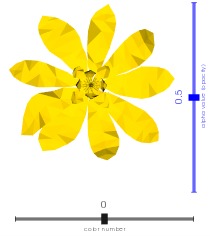
            ![](https://user-images.githubusercontent.com/32848391/50738848-be033480-11d8-11e9-9b1a-c13105423a79.jpg)
        """
        if c is None:  # automatic black or white
            c = (0.8, 0.8, 0.8)
            if np.sum(vedo.get_color(self.backgrcol)) > 1.5:
                c = (0.2, 0.2, 0.2)
        else:
            c = vedo.get_color(c)

        slider2d = addons.Slider2D(
            sliderfunc,
            xmin,
            xmax,
            value,
            pos,
            title,
            font,
            title_size,
            c,
            alpha,
            show_value,
            delayed,
            **options,
        )

        if self.renderer:
            slider2d.renderer = self.renderer
            if self.interactor:
                slider2d.interactor = self.interactor
                slider2d.on()
                self.sliders.append([slider2d, sliderfunc])
        return slider2d

    def add_slider3d(
        self,
        sliderfunc,
        pos1,
        pos2,
        xmin,
        xmax,
        value=None,
        s=0.03,
        t=1,
        title="",
        rotation=0.0,
        c=None,
        show_value=True,
    ) -> vedo.addons.Slider3D:
        """
        Add a 3D slider widget which can call an external custom function.

        Args:
            sliderfunc (function):
                external function to be called by the widget
            pos1 (list):
                first position 3D coordinates
            pos2 (list):
                second position coordinates
            xmin (float):
                lower value
            xmax (float):
                upper value
            value (float):
                initial value
            s (float):
                label scaling factor
            t (float):
                tube scaling factor
            title (str):
                title text
            c (color):
                slider color
            rotation (float):
                title rotation around slider axis
            show_value (bool):
                if True current value is shown

        Examples:
            - [sliders3d.py](https://github.com/marcomusy/vedo/tree/master/examples/basic/sliders3d.py)

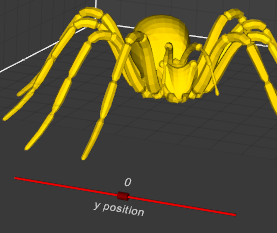
            ![](https://user-images.githubusercontent.com/32848391/52859555-4efcf200-312d-11e9-9290-6988c8295163.png)
        """
        if c is None:  # automatic black or white
            c = (0.8, 0.8, 0.8)
            if np.sum(vedo.get_color(self.backgrcol)) > 1.5:
                c = (0.2, 0.2, 0.2)
        else:
            c = vedo.get_color(c)

        slider3d = addons.Slider3D(
            sliderfunc,
            pos1,
            pos2,
            xmin,
            xmax,
            value,
            s,
            t,
            title,
            rotation,
            c,
            show_value,
        )
        if self.renderer:
            slider3d.renderer = self.renderer
            if self.interactor:
                slider3d.interactor = self.interactor
                slider3d.on()
                self.sliders.append([slider3d, sliderfunc])
        return slider3d

    def add_button(
        self,
        fnc=None,
        states=("On", "Off"),
        c=("w", "w"),
        bc=("green4", "red4"),
        pos=(0.7, 0.1),
        size=24,
        font="Courier",
        bold=True,
        italic=False,
        alpha=1,
        angle=0,
    ) -> vedo.addons.Button | None:
        """
        Add a button to the renderer window.

        Args:
            states (list):
                a list of possible states, e.g. ['On', 'Off']
            c (list):
                a list of colors for each state
            bc (list):
                a list of background colors for each state
            pos (list):
                2D position from left-bottom corner
            size (float):
                size of button font
            font (str):
                font type. Check [available fonts here](https://vedo.embl.es/fonts).
            bold (bool):
                bold font face (False)
            italic (bool):
                italic font face (False)
            alpha (float):
                opacity level
            angle (float):
                anticlockwise rotation in degrees

        Returns:
            `vedo.addons.Button` object.

        Examples:
            - [buttons1.py](https://github.com/marcomusy/vedo/blob/master/examples/basic/buttons1.py)
            - [buttons2.py](https://github.com/marcomusy/vedo/blob/master/examples/basic/buttons2.py)

            ![](https://user-images.githubusercontent.com/32848391/50738870-c0fe2500-11d8-11e9-9b78-92754f5c5968.jpg)
        """
        if self.interactor:
            bu = addons.Button(
                fnc, states, c, bc, pos, size, font, bold, italic, alpha, angle
            )
            self.renderer.AddActor2D(bu.actor)
            bu.function_id = bu.actor.AddObserver("PickEvent", bu.function)
            self.buttons.append(bu)
            return bu
        return None

    def add_spline_tool(
        self,
        points,
        pc="k",
        ps=8,
        lc="r4",
        ac="g5",
        lw=2,
        alpha=1,
        closed=False,
        ontop=True,
        can_add_nodes=True,
    ) -> vedo.addons.SplineTool:
        """
        Add a spline tool to the current plotter.
        Nodes of the spline can be dragged in space with the mouse.
        Clicking on the line itself adds an extra point.
        Selecting a point and pressing del removes it.

        Args:
            points (Mesh, Points, array):
                the set of coordinates forming the spline nodes.
            pc (str):
                point color. The default is 'k'.
            ps (str):
                point size. The default is 8.
            lc (str):
                line color. The default is 'r4'.
            ac (str):
                active point marker color. The default is 'g5'.
            lw (int):
                line width. The default is 2.
            alpha (float):
                line transparency.
            closed (bool):
                spline is meant to be closed. The default is False.

        Returns:
            a `SplineTool` object.

        Examples:
            - [spline_tool.py](https://github.com/marcomusy/vedo/tree/master/examples/basic/spline_tool.py)

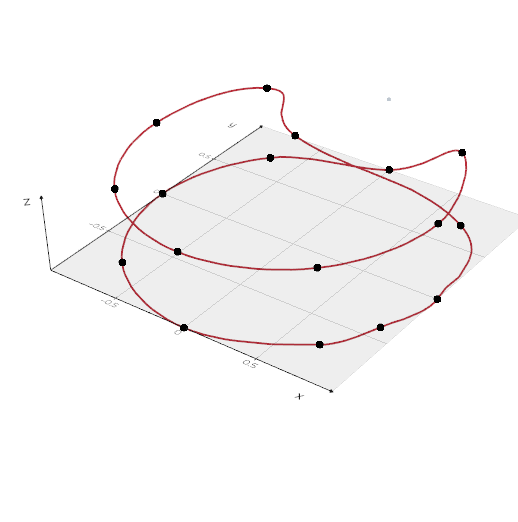
            ![](https://vedo.embl.es/images/basic/spline_tool.png)
        """
        if not self.interactor:
            return addons.SplineTool(
                points, pc, ps, lc, ac, lw, alpha, closed, ontop, can_add_nodes
            )
        sw = addons.SplineTool(
            points, pc, ps, lc, ac, lw, alpha, closed, ontop, can_add_nodes
        )
        sw.interactor = self.interactor
        sw.on()
        sw.Initialize(sw.points.dataset)
        sw.representation.SetRenderer(self.renderer)
        sw.representation.SetClosedLoop(closed)
        sw.representation.BuildRepresentation()
        self.widgets.append(sw)
        return sw

    def add_icon(self, icon, pos=3, size=0.08) -> vedo.addons.Icon:
        """Add an inset icon mesh into the same renderer.

        Args:
            pos (int, list):
                icon position in the range [1-4] indicating one of the 4 corners,
                or it can be a tuple (x,y) as a fraction of the renderer size.
            size (float):
                size of the square inset.

        Examples:
            - [icon.py](https://github.com/marcomusy/vedo/tree/master/examples/extras/icon.py)
        """
        iconw = addons.Icon(icon, pos, size)
        if self.interactor:
            iconw.SetInteractor(self.interactor)
            iconw.EnabledOn()
            iconw.InteractiveOff()
            self.widgets.append(iconw)
        return iconw

    def add_global_axes(self, axtype=None, c=None) -> Self:
        """Draw axes on scene. Available axes types:

        Args:
            axtype (int):
                - 0,  no axes,
                - 1,  draw three gray grid walls
                - 2,  show cartesian axes from (0,0,0)
                - 3,  show positive range of cartesian axes from (0,0,0)
                - 4,  show a triad at bottom left
                - 5,  show a cube at bottom left
                - 6,  mark the corners of the bounding box
                - 7,  draw a 3D ruler at each side of the cartesian axes
                - 8,  show the vtkCubeAxesActor object
                - 9,  show the bounding box outLine
                - 10, show three circles representing the maximum bounding box
                - 11, show a large grid on the x-y plane
                - 12, show polar axes
                - 13, draw a simple ruler at the bottom of the window

                Axis type-1 can be fully customized by passing a dictionary
                like `axes=dict()`.

        Examples:
            ```python
            from vedo import Box, show
            b = Box(pos=(0, 0, 0), size=(80, 90, 70)).alpha(0.1)
            show(
                b,
                axes={
                    "xtitle": "Some long variable [a.u.]",
                    "number_of_divisions": 4,
                    # ...
                },
            )
            ```

            - [custom_axes1.py](https://github.com/marcomusy/vedo/blob/master/examples/pyplot/custom_axes1.py)
            - [custom_axes2.py](https://github.com/marcomusy/vedo/blob/master/examples/pyplot/custom_axes2.py)
            - [custom_axes3.py](https://github.com/marcomusy/vedo/blob/master/examples/pyplot/custom_axes3.py)
            - [custom_axes4.py](https://github.com/marcomusy/vedo/blob/master/examples/pyplot/custom_axes4.py)

            <img src="https://user-images.githubusercontent.com/32848391/72752870-ab7d5280-3bc3-11ea-8911-9ace00211e23.png" width="600">
        """
        addons.add_global_axes(axtype, c)
        return self

    def add_legend_box(self, **kwargs) -> vedo.addons.LegendBox:
        """Add a legend to the top right.

        Examples:
            - [legendbox.py](https://github.com/marcomusy/vedo/blob/master/examples/basic/legendbox.py),
            - [flag_labels1.py](https://github.com/marcomusy/vedo/blob/master/examples/extras/flag_labels1.py)
            - [flag_labels2.py](https://github.com/marcomusy/vedo/blob/master/examples/extras/flag_labels2.py)
        """
        acts = self.get_meshes()
        lb = addons.LegendBox(acts, **kwargs)
        self.add(lb)
        return lb

    def add_hint(
        self,
        obj,
        text="",
        c="k",
        bg="yellow9",
        font="Calco",
        size=18,
        justify=0,
        angle=0,
        delay=250,
    ) -> vtki.vtkBalloonWidget | None:
        """
        Create a pop-up hint style message when hovering an object.
        Use `add_hint(obj, False)` to disable a hinting a specific object.
        Use `add_hint(None)` to disable all hints.

        Args:
            obj (Mesh, Points):
                the object to associate the pop-up to
            text (str):
                string description of the pop-up
            delay (int):
                milliseconds to wait before pop-up occurs
        """
        if self.offscreen or not self.interactor:
            return None

        if vedo.vtk_version[:2] == (9, 0) and "Linux" in vedo.sys_platform:
            # Linux vtk9.0 is bugged
            vedo.logger.warning(
                f"add_hint() is not available on Linux platforms for vtk{vedo.vtk_version}."
            )
            return None

        if obj is None:
            if self.hint_widget:
                self.hint_widget.EnabledOff()
                self.hint_widget.SetInteractor(None)
                self.hint_widget = None
            return None

        if text is False and self.hint_widget:
            self.hint_widget.RemoveBalloon(obj)
            return self.hint_widget

        if text == "":
            if obj.name:
                text = obj.name
            elif obj.filename:
                text = obj.filename
            else:
                return None

        if not self.hint_widget:
            self.hint_widget = vtki.vtkBalloonWidget()

            rep = self.hint_widget.GetRepresentation()
            rep.SetBalloonLayoutToImageRight()

            trep = rep.GetTextProperty()
            trep.SetFontFamily(vtki.VTK_FONT_FILE)
            trep.SetFontFile(utils.get_font_path(font))
            trep.SetFontSize(size)
            trep.SetColor(vedo.get_color(c))
            trep.SetBackgroundColor(vedo.get_color(bg))
            trep.SetShadow(0)
            trep.SetJustification(justify)
            trep.UseTightBoundingBoxOn()

            self.hint_widget.ManagesCursorOff()
            self.hint_widget.SetTimerDuration(delay)
            self.hint_widget.SetInteractor(self.interactor)
            if angle:
                trep.SetOrientation(angle)
                trep.SetBackgroundOpacity(0)
            # else:
            #     trep.SetBackgroundOpacity(0.5) # doesnt work well
            self.hint_widget.SetRepresentation(rep)
            self.widgets.append(self.hint_widget)
            self.hint_widget.EnabledOn()

        bst = self.hint_widget.GetBalloonString(obj.actor)
        if bst:
            self.hint_widget.UpdateBalloonString(obj.actor, text)
        else:
            self.hint_widget.AddBalloon(obj.actor, text)

        return self.hint_widget

    def add_shadows(self) -> Self:
        """Add shadows at the current renderer."""
        if self.renderer:
            shadows = vtki.new("ShadowMapPass")
            seq = vtki.new("SequencePass")
            passes = vtki.new("RenderPassCollection")
            passes.AddItem(shadows.GetShadowMapBakerPass())
            passes.AddItem(shadows)
            seq.SetPasses(passes)
            camerapass = vtki.new("CameraPass")
            camerapass.SetDelegatePass(seq)
            self.renderer.SetPass(camerapass)
        return self

    def add_ambient_occlusion(
        self, radius: float, bias=0.01, blur=True, samples=100
    ) -> Self:
        """
        Screen Space Ambient Occlusion.

        For every pixel on the screen, the pixel shader samples the depth values around
        the current pixel and tries to compute the amount of occlusion from each of the sampled
        points.

        Args:
            radius (float):
                radius of influence in absolute units
            bias (float):
                bias of the normals
            blur (bool):
                add a blurring to the sampled positions
            samples (int):
                number of samples to probe

        Examples:
            - [ssao.py](https://github.com/marcomusy/vedo/tree/master/examples/basic/ssao.py)

            ![](https://vedo.embl.es/images/basic/ssao.jpg)
        """
        lights = vtki.new("LightsPass")

        opaque = vtki.new("OpaquePass")

        ssaoCam = vtki.new("CameraPass")
        ssaoCam.SetDelegatePass(opaque)

        ssao = vtki.new("SSAOPass")
        ssao.SetRadius(radius)
        ssao.SetBias(bias)
        ssao.SetBlur(blur)
        ssao.SetKernelSize(samples)
        ssao.SetDelegatePass(ssaoCam)

        translucent = vtki.new("TranslucentPass")

        volpass = vtki.new("VolumetricPass")
        ddp = vtki.new("DualDepthPeelingPass")
        ddp.SetTranslucentPass(translucent)
        ddp.SetVolumetricPass(volpass)

        over = vtki.new("OverlayPass")

        collection = vtki.new("RenderPassCollection")
        collection.AddItem(lights)
        collection.AddItem(ssao)
        collection.AddItem(ddp)
        collection.AddItem(over)

        sequence = vtki.new("SequencePass")
        sequence.SetPasses(collection)

        cam = vtki.new("CameraPass")
        cam.SetDelegatePass(sequence)

        self.renderer.SetPass(cam)
        return self

    def add_depth_of_field(self, autofocus=True) -> Self:
        """Add a depth of field effect in the scene."""
        lights = vtki.new("LightsPass")

        opaque = vtki.new("OpaquePass")

        dofCam = vtki.new("CameraPass")
        dofCam.SetDelegatePass(opaque)

        dof = vtki.new("DepthOfFieldPass")
        dof.SetAutomaticFocalDistance(autofocus)
        dof.SetDelegatePass(dofCam)

        collection = vtki.new("RenderPassCollection")
        collection.AddItem(lights)
        collection.AddItem(dof)

        sequence = vtki.new("SequencePass")
        sequence.SetPasses(collection)

        cam = vtki.new("CameraPass")
        cam.SetDelegatePass(sequence)

        self.renderer.SetPass(cam)
        return self

    def _add_skybox(self, hdrfile: str) -> Self:
        # many hdr files are at https://polyhaven.com/all

        reader = vtki.new("HDRReader")
        # Check the image can be read.
        if not reader.CanReadFile(hdrfile):
            vedo.logger.error(f"Cannot read HDR file {hdrfile}")
            return self
        reader.SetFileName(hdrfile)
        reader.Update()

        texture = vtki.vtkTexture()
        texture.SetColorModeToDirectScalars()
        texture.SetInputData(reader.GetOutput())

        # Convert to a cube map
        tcm = vtki.new("EquirectangularToCubeMapTexture")
        tcm.SetInputTexture(texture)
        # Enable mipmapping to handle HDR image
        tcm.MipmapOn()
        tcm.InterpolateOn()

        self.renderer.SetEnvironmentTexture(tcm)
        self.renderer.UseImageBasedLightingOn()
        self.skybox = vtki.new("Skybox")
        self.skybox.SetTexture(tcm)
        self.renderer.AddActor(self.skybox)
        return self

    def add_renderer_frame(
        self, c=None, alpha=None, lw=None, padding=None, pattern="brtl"
    ) -> vedo.addons.RendererFrame:
        """
        Add a frame to the renderer subwindow.

        Args:
            c (color):
                color name or index
            alpha (float):
                opacity level
            lw (int):
                line width in pixels.
            padding (float):
                padding space in pixels.
            pattern (str):
                a string made of characters 'b', 'r', 't', 'l'
                to show the frame line at the bottom, right, top, left.
        """
        if c is None:  # automatic black or white
            c = (0.9, 0.9, 0.9)
            if self.renderer:
                if np.sum(self.renderer.GetBackground()) > 1.5:
                    c = (0.1, 0.1, 0.1)
        renf = addons.RendererFrame(c, alpha, lw, padding, pattern)
        if renf:
            self.renderer.AddActor(renf)
        return renf

    def add_hover_legend(
        self,
        at=None,
        c=None,
        pos="bottom-left",
        font="Calco",
        s=0.75,
        bg="auto",
        alpha=0.33,
        maxlength=24,
        use_info=False,
    ) -> int:
        """
        Add a legend with 2D text which is triggered by hovering the mouse on an object.

        The created text object are stored in `plotter.hover_legends`.

        Returns:
            the id of the callback function.

        Args:
            c (color):
                Text color. If None then black or white is chosen automatically
            pos (str):
                text positioning
            font (str):
                text font type. Check [available fonts here](https://vedo.embl.es/fonts).
            s (float):
                text size scale
            bg (color):
                background color of the 2D box containing the text
            alpha (float):
                box transparency
            maxlength (int):
                maximum number of characters per line
            use_info (bool):
                visualize the content of the `obj.info` attribute

        Examples:
            - [hover_legend.py](https://github.com/marcomusy/vedo/tree/master/examples/basic/hover_legend.py)
            - [earthquake_browser.py](https://github.com/marcomusy/vedo/tree/master/examples/pyplot/earthquake_browser.py)

            ![](https://vedo.embl.es/images/pyplot/earthquake_browser.jpg)
        """
        hoverlegend = vedo.shapes.Text2D(
            pos=pos, font=font, c=c, s=s, alpha=alpha, bg=bg
        )

        if at is None:
            at = self.renderers.index(self.renderer)

        def _legfunc(evt):
            if not evt.object or not self.renderer or at != evt.at:
                if hoverlegend.mapper.GetInput():  # clear and return
                    hoverlegend.mapper.SetInput("")
                    self.render()
                return

            if use_info:
                if hasattr(evt.object, "info"):
                    t = str(evt.object.info)
                else:
                    return
            else:
                t, tp = "", ""
                if evt.isMesh:
                    tp = "Mesh "
                elif evt.isPoints:
                    tp = "Points "
                elif evt.isVolume:
                    tp = "Volume "
                elif evt.isImage:
                    tp = "Image "
                elif evt.isAssembly:
                    tp = "Assembly "
                else:
                    return

                if evt.isAssembly:
                    if not evt.object.name:
                        t += f"Assembly object of {len(evt.object.unpack())} parts\n"
                    else:
                        t += f"Assembly name: {evt.object.name} ({len(evt.object.unpack())} parts)\n"
                else:
                    if evt.object.name:
                        t += f"{tp}name"
                        if evt.isPoints:
                            t += "  "
                        if evt.isMesh:
                            t += "  "
                        t += f": {evt.object.name[:maxlength]}".ljust(maxlength) + "\n"

                if evt.object.filename:
                    t += f"{tp}filename: "
                    t += f"{os.path.basename(evt.object.filename[-maxlength:])}".ljust(
                        maxlength
                    )
                    t += "\n"
                    if not evt.object.file_size:
                        evt.object.file_size, evt.object.created = (
                            vedo.file_io.file_info(evt.object.filename)
                        )
                    if evt.object.file_size:
                        t += "             : "
                        sz, created = evt.object.file_size, evt.object.created
                        t += f"{created[4:-5]} ({sz})" + "\n"

                if evt.isPoints:
                    indata = evt.object.dataset
                    if indata.GetNumberOfPoints():
                        t += (
                            f"#points/cells: {indata.GetNumberOfPoints()}"
                            f" / {indata.GetNumberOfCells()}"
                        )
                    pdata = indata.GetPointData()
                    cdata = indata.GetCellData()
                    if pdata.GetScalars() and pdata.GetScalars().GetName():
                        t += f"\nPoint array  : {pdata.GetScalars().GetName()}"
                        if (
                            pdata.GetScalars().GetName()
                            == evt.object.mapper.GetArrayName()
                        ):
                            t += " *"
                    if cdata.GetScalars() and cdata.GetScalars().GetName():
                        t += f"\nCell  array  : {cdata.GetScalars().GetName()}"
                        if (
                            cdata.GetScalars().GetName()
                            == evt.object.mapper.GetArrayName()
                        ):
                            t += " *"

                if evt.isImage:
                    t = f"{os.path.basename(evt.object.filename[: maxlength + 10])}".ljust(
                        maxlength + 10
                    )
                    t += f"\nImage shape: {evt.object.shape}"
                    pcol = self.color_picker(evt.picked2d)
                    t += f"\nPixel color: {vedo.colors.rgb2hex(pcol / 255)} {pcol}"

            # change box color if needed in 'auto' mode
            if evt.isPoints and "auto" in str(bg):
                actcol = evt.object.properties.GetColor()
                if hoverlegend.mapper.GetTextProperty().GetBackgroundColor() != actcol:
                    hoverlegend.mapper.GetTextProperty().SetBackgroundColor(actcol)

            # adapt to changes in bg color
            bgcol = self.renderers[at].GetBackground()
            _bgcol = c
            if _bgcol is None:  # automatic black or white
                _bgcol = (0.9, 0.9, 0.9)
                if sum(bgcol) > 1.5:
                    _bgcol = (0.1, 0.1, 0.1)
                hoverlegend.color(_bgcol)

            if hoverlegend.mapper.GetInput() != t:
                hoverlegend.mapper.SetInput(t)
                self.interactor.Render()

            # print("ABORT", idcall, hoverlegend.actor.GetCommand(idcall))
            # hoverlegend.actor.GetCommand(idcall).AbortFlagOn()

        self.add(hoverlegend, at=at)
        self.hover_legends.append(hoverlegend)
        idcall = self.add_callback("MouseMove", _legfunc)
        return idcall

    def add_scale_indicator(
        self,
        pos=(0.7, 0.05),
        s=0.02,
        length=2,
        lw=4,
        c="k1",
        alpha=1,
        units="",
        gap=0.05,
    ) -> vedo.visual.Actor2D | None:
        """
        Add a Scale Indicator. Only works in parallel mode (no perspective).

        Args:
            pos (list):
                fractional (x,y) position on the screen.
            s (float):
                size of the text.
            length (float):
                length of the line.
            units (str):
                string to show units.
            gap (float):
                separation of line and text.

        Examples:
            ```python
            from vedo import settings, Cube, Plotter
            settings.use_parallel_projection = True # or else it does not make sense!
            cube = Cube().alpha(0.2)
            plt = Plotter(size=(900,600), axes=dict(xtitle='x (um)'))
            plt.add_scale_indicator(units='um', c='blue4')
            plt.show(cube, "Scale indicator with units").close()
            ```
            ![](https://vedo.embl.es/images/feats/scale_indicator.png)
        """
        # Note that this cannot go in addons.py
        # because it needs callbacks and window size
        if not self.interactor:
            return None

        ppoints = vtki.vtkPoints()  # Generate the polyline
        psqr = [[0.0, gap], [length / 10, gap]]
        dd = psqr[1][0] - psqr[0][0]
        for i, pt in enumerate(psqr):
            ppoints.InsertPoint(i, pt[0], pt[1], 0)
        lines = vtki.vtkCellArray()
        lines.InsertNextCell(len(psqr))
        for i in range(len(psqr)):
            lines.InsertCellPoint(i)
        pd = vtki.vtkPolyData()
        pd.SetPoints(ppoints)
        pd.SetLines(lines)

        wsx, wsy = self.window.GetSize()
        if not self.camera.GetParallelProjection():
            vedo.logger.warning(
                "add_scale_indicator called with use_parallel_projection OFF. Skip."
            )
            return None

        rlabel = vtki.new("VectorText")
        rlabel.SetText("scale")
        tf = vtki.new("TransformPolyDataFilter")
        tf.SetInputConnection(rlabel.GetOutputPort())
        t = vtki.vtkTransform()
        t.Scale(s * wsy / wsx, s, 1)
        tf.SetTransform(t)

        app = vtki.new("AppendPolyData")
        app.AddInputConnection(tf.GetOutputPort())
        app.AddInputData(pd)

        mapper = vtki.new("PolyDataMapper2D")
        mapper.SetInputConnection(app.GetOutputPort())
        cs = vtki.vtkCoordinate()
        cs.SetCoordinateSystem(1)
        mapper.SetTransformCoordinate(cs)

        fractor = vedo.visual.Actor2D()
        csys = fractor.GetPositionCoordinate()
        csys.SetCoordinateSystem(3)
        fractor.SetPosition(pos)
        fractor.SetMapper(mapper)
        fractor.GetProperty().SetColor(vedo.get_color(c))
        fractor.GetProperty().SetOpacity(alpha)
        fractor.GetProperty().SetLineWidth(lw)
        fractor.GetProperty().SetDisplayLocationToForeground()

        def sifunc(iren, ev):
            wsx, wsy = self.window.GetSize()
            ps = self.camera.GetParallelScale()
            newtxt = utils.precision(ps / wsy * wsx * length * dd, 3)
            if units:
                newtxt += " " + units
            if rlabel.GetText() != newtxt:
                rlabel.SetText(newtxt)

        self.renderer.AddActor(fractor)
        self.interactor.AddObserver("MouseWheelBackwardEvent", sifunc)
        self.interactor.AddObserver("MouseWheelForwardEvent", sifunc)
        self.interactor.AddObserver("InteractionEvent", sifunc)
        sifunc(0, 0)
        return fractor

    def _scan_input_return_acts(self, objs) -> Any:
        # scan the input and return a list of actors
        if not utils.is_sequence(objs):
            objs = [objs]

        #################
        wannabe_acts = []
        for a in objs:
            try:
                wannabe_acts.append(a.actor)
            except AttributeError:
                wannabe_acts.append(a)  # already actor

            try:
                wannabe_acts.append(a.scalarbar)
            except AttributeError:
                pass

            try:
                for sh in a.shadows:
                    wannabe_acts.append(sh.actor)
            except AttributeError:
                pass

            try:
                wannabe_acts.append(a.trail.actor)
                if a.trail.shadows:  # trails may also have shadows
                    for sh in a.trail.shadows:
                        wannabe_acts.append(sh.actor)
            except AttributeError:
                pass

        #################
        scanned_acts = []
        for a in wannabe_acts:  # scan content of list
            if a is None:
                pass

            elif isinstance(a, (vtki.vtkActor, vtki.vtkActor2D, vtki.vtkAssembly)):
                scanned_acts.append(a)

            elif isinstance(a, (vedo.Assembly, vedo.Group)):
                scanned_acts.append(a.actor)

            elif isinstance(a, str):
                # assume a 2D comment was given
                changed = False  # check if one already exists so to just update text
                if self.renderer:  # might be jupyter
                    acs = self.renderer.GetActors2D()
                    acs.InitTraversal()
                    for i in range(acs.GetNumberOfItems()):
                        act = acs.GetNextItem()
                        if hasattr(act, "SetInput"):  # vtkTextActor
                            aposx, aposy = act.GetPosition()
                            if aposx < 0.01 and aposy > 0.99:  # "top-left"
                                act.SetInput(a)  # update content! no appending nada
                                changed = True
                                break
                    if not changed:
                        out = vedo.shapes.Text2D(a)  # append a new one
                        scanned_acts.append(out)

            elif isinstance(a, vtki.vtkPolyData):
                scanned_acts.append(vedo.Mesh(a).actor)

            elif isinstance(a, vtki.vtkImageData):
                scanned_acts.append(vedo.Volume(a).actor)

            elif isinstance(a, vedo.RectilinearGrid):
                scanned_acts.append(a.actor)

            elif isinstance(a, vedo.StructuredGrid):
                scanned_acts.append(a.actor)

            elif isinstance(a, vtki.vtkLight):
                scanned_acts.append(a)

            elif isinstance(a, vedo.visual.LightKit):
                a.lightkit.AddLightsToRenderer(self.renderer)

            elif isinstance(a, vtki.get_class("MultiBlockDataSet")):
                for i in range(a.GetNumberOfBlocks()):
                    b = a.GetBlock(i)
                    if isinstance(b, vtki.vtkPolyData):
                        scanned_acts.append(vedo.Mesh(b).actor)
                    elif isinstance(b, vtki.vtkImageData):
                        scanned_acts.append(vedo.Volume(b).actor)

            elif isinstance(a, (vtki.vtkProp, vtki.vtkInteractorObserver)):
                scanned_acts.append(a)

            elif "trimesh" in str(type(a)):
                scanned_acts.append(vedo.external.trimesh2vedo(a))

            elif "meshlab" in str(type(a)):
                if "MeshSet" in str(type(a)):
                    for i in range(a.number_meshes()):
                        if a.mesh_id_exists(i):
                            scanned_acts.append(vedo.external.meshlab2vedo(a.mesh(i)))
                else:
                    scanned_acts.append(vedo.external.meshlab2vedo(a))

            elif "madcad" in str(type(a)):
                scanned_acts.append(vedo.external.madcad2vedo(a).actor)

            elif "TetgenIO" in str(type(a)):
                scanned_acts.append(vedo.TetMesh(a).shrink(0.9).c("pink7").actor)

            elif "matplotlib.figure.Figure" in str(type(a)):
                scanned_acts.append(vedo.Image(a).clone2d("top-right", 0.6))

            else:
                vedo.logger.error(f"cannot understand input in show(): {type(a)}")

        return scanned_acts

    def show(
        self,
        *objects,
        at=None,
        axes=None,
        resetcam=None,
        zoom=False,
        interactive=None,
        viewup="",
        azimuth=0.0,
        elevation=0.0,
        roll=0.0,
        camera=None,
        mode=None,
        rate=None,
        bg=None,
        bg2=None,
        size=None,
        title=None,
        screenshot="",
    ) -> Any:
        """
        Render a list of objects.

        Args:
            at (int):
                number of the renderer to plot to, in case of more than one exists

            axes (int):
                axis type-1 can be fully customized by passing a dictionary.
                Check `addons.Axes()` for the full list of options.
                set the type of axes to be shown:
                - 0,  no axes
                - 1,  draw three gray grid walls
                - 2,  show cartesian axes from (0,0,0)
                - 3,  show positive range of cartesian axes from (0,0,0)
                - 4,  show a triad at bottom left
                - 5,  show a cube at bottom left
                - 6,  mark the corners of the bounding box
                - 7,  draw a 3D ruler at each side of the cartesian axes
                - 8,  show the `vtkCubeAxesActor` object
                - 9,  show the bounding box outLine
                - 10, show three circles representing the maximum bounding box
                - 11, show a large grid on the x-y plane
                - 12, show polar axes
                - 13, draw a simple ruler at the bottom of the window

            azimuth/elevation/roll : (float)
                move camera accordingly the specified value

            viewup: str, list
                either `['x', 'y', 'z']` or a vector to set vertical direction

            resetcam (bool):
                re-adjust camera position to fit objects

            camera (dict, vtkCamera):
                camera parameters can further be specified with a dictionary
                assigned to the `camera` keyword (E.g. `show(camera={'pos':(1,2,3), 'thickness':1000,})`):
                - pos, `(list)`,  the position of the camera in world coordinates
                - focal_point `(list)`, the focal point of the camera in world coordinates
                - viewup `(list)`, the view up direction for the camera
                - distance `(float)`, set the focal point to the specified distance from the camera position.
                - clipping_range `(float)`, distance of the near and far clipping planes along the direction of projection.
                - parallel_scale `(float)`, scaling used for a parallel projection, i.e. the height of the viewport
                in world-coordinate distances. The default is 1.
                Note that the "scale" parameter works as an "inverse scale", larger numbers produce smaller images.
                This method has no effect in perspective projection mode.

                - thickness `(float)`, set the distance between clipping planes. This method adjusts the far clipping
                plane to be set a distance 'thickness' beyond the near clipping plane.

                - view_angle `(float)`, the camera view angle, which is the angular height of the camera view
                measured in degrees. The default angle is 30 degrees.
                This method has no effect in parallel projection mode.
                The formula for setting the angle up for perfect perspective viewing is:
                angle = 2*atan((h/2)/d) where h is the height of the RenderWindow
                (measured by holding a ruler up to your screen) and d is the distance from your eyes to the screen.

            interactive (bool):
                pause and interact with window (True) or continue execution (False)

            rate (float):
                maximum rate of `show()` in Hertz

            mode (int, str):
                set the type of interaction:
                - 0 = TrackballCamera [default]
                - 1 = TrackballActor
                - 2 = JoystickCamera
                - 3 = JoystickActor
                - 4 = Flight
                - 5 = RubberBand2D
                - 6 = RubberBand3D
                - 7 = RubberBandZoom
                - 8 = Terrain
                - 9 = Unicam
                - 10 = Image
                - Check out `vedo.interaction_modes` for more options.

            bg (str, list):
                background color in RGB format, or string name

            bg2 (str, list):
                second background color to create a gradient background

            size (str, list):
                size of the window, e.g. size="fullscreen", or size=[600,400]

            title (str):
                window title text

            screenshot (str):
                save a screenshot of the window to file
        """

        # Keep the trame notebook path exercisable in dry-run mode so the
        # backend smoke test can still verify server/controller wiring.
        if (
            vedo.settings.dry_run_mode >= 2
            and vedo.settings.default_backend != "trame"
        ):
            return self

        if self.wx_widget:
            return self

        if self.renderers:  # in case of notebooks
            if at is None:
                at = self.renderers.index(self.renderer)

            else:
                if at >= len(self.renderers):
                    t = f"trying to show(at={at}) but only {len(self.renderers)} renderers exist"
                    vedo.logger.error(t)
                    return self

                self.renderer = self.renderers[at]

        if title is not None:
            self.title = title

        if size is not None:
            self.size = size
            if self.size[0] == "f":  # full screen
                self.size = "fullscreen"
                self.window.SetFullScreen(True)
                self.window.BordersOn()
            else:
                self.window.SetSize(int(self.size[0]), int(self.size[1]))

        if vedo.settings.default_backend == "vtk":
            if str(bg).endswith(".hdr"):
                self._add_skybox(bg)
            else:
                if bg is not None:
                    self.backgrcol = vedo.get_color(bg)
                    self.renderer.SetBackground(self.backgrcol)
                if bg2 is not None:
                    self.renderer.GradientBackgroundOn()
                    self.renderer.SetBackground2(vedo.get_color(bg2))

        if axes is not None:
            if isinstance(axes, vedo.Assembly):  # user passing show(..., axes=myaxes)
                objects = list(objects)
                objects.append(axes)  # move it into the list of normal things to show
                axes = 0
            self.axes = axes

        if interactive is not None:
            self._interactive = interactive
        if self.offscreen:
            self._interactive = False

        # camera stuff
        if resetcam is not None:
            self.resetcam = resetcam

        if camera is not None:
            self.resetcam = False
            viewup = ""
            if isinstance(camera, vtki.vtkCamera):
                cameracopy = vtki.vtkCamera()
                cameracopy.DeepCopy(camera)
                self.camera = cameracopy
            else:
                self.camera = utils.camera_from_dict(camera)

        self.add(objects)

        # Backend ###############################################################
        if vedo.settings.default_backend in ["k3d", "panel"]:
            return vedo.backends.get_notebook_backend(self.objects)
        #########################################################################

        for ia in utils.flatten(objects):
            try:
                # fix gray color labels and title to white or black
                ltc = np.array(ia.scalarbar.GetLabelTextProperty().GetColor())
                if np.linalg.norm(ltc - (0.5, 0.5, 0.5)) / 3 < 0.05:
                    c = (0.9, 0.9, 0.9)
                    if np.sum(self.renderer.GetBackground()) > 1.5:
                        c = (0.1, 0.1, 0.1)
                    ia.scalarbar.GetLabelTextProperty().SetColor(c)
                    ia.scalarbar.GetTitleTextProperty().SetColor(c)
            except AttributeError:
                pass

        if self.sharecam:
            for r in self.renderers:
                r.SetActiveCamera(self.camera)

        if self.axes is not None:
            if viewup != "2d" or self.axes in [1, 8] or isinstance(self.axes, dict):
                bns = self.renderer.ComputeVisiblePropBounds()
                addons.add_global_axes(self.axes, bounds=bns)

        # Backend ###############################################################
        if vedo.settings.default_backend in ["ipyvtk", "trame"]:
            return vedo.backends.get_notebook_backend()
        #########################################################################

        if self.resetcam and self.renderer:
            self.renderer.ResetCamera()

        if len(self.renderers) > 1:
            self.add_renderer_frame()

        if vedo.settings.default_backend == "2d" and not zoom:
            zoom = "tightest"

        if zoom:
            if zoom == "tight":
                self.reset_camera(tight=0.04)
            elif zoom == "tightest":
                self.reset_camera(tight=0.0001)
            else:
                self.camera.Zoom(zoom)
        if elevation:
            self.camera.Elevation(elevation)
        if azimuth:
            self.camera.Azimuth(azimuth)
        if roll:
            self.camera.Roll(roll)

        if len(viewup) > 0:
            b = self.renderer.ComputeVisiblePropBounds()
            cm = np.array([(b[1] + b[0]) / 2, (b[3] + b[2]) / 2, (b[5] + b[4]) / 2])
            sz = np.array([(b[1] - b[0]), (b[3] - b[2]), (b[5] - b[4])])
            if viewup == "x":
                sz = np.linalg.norm(sz)
                self.camera.SetViewUp([1, 0, 0])
                self.camera.SetPosition(cm + sz)
            elif viewup == "y":
                sz = np.linalg.norm(sz)
                self.camera.SetViewUp([0, 1, 0])
                self.camera.SetPosition(cm + sz)
            elif viewup == "z":
                sz = np.array(
                    [(b[1] - b[0]) * 0.7, -(b[3] - b[2]) * 1.0, (b[5] - b[4]) * 1.2]
                )
                self.camera.SetViewUp([0, 0, 1])
                self.camera.SetPosition(cm + 2 * sz)
            elif utils.is_sequence(viewup):
                sz = np.linalg.norm(sz)
                self.camera.SetViewUp(viewup)
                cpos = np.cross([0, 1, 0], viewup)
                self.camera.SetPosition(cm - 2 * sz * cpos)

        self.renderer.ResetCameraClippingRange()

        self.initialize_interactor()

        if vedo.settings.immediate_rendering:
            self.window.Render()  ##################### <-------------- Render

        if self.interactor:  # can be offscreen or not the vtk backend..
            self.window.SetWindowName(self.title)

            # pic = vedo.Image(vedo.dataurl+'images/vtk_logo.png')
            # pic = vedo.Image('/home/musy/Downloads/icons8-3d-96.png')
            # print(pic.dataset)# Array 0 name PNGImage
            # self.window.SetIcon(pic.dataset)

            try:
                # Needs "pip install pyobjc" on Mac OSX
                if (
                    self._cocoa_initialized is False
                    and "Darwin" in vedo.sys_platform
                    and not self.offscreen
                ):
                    self._cocoa_initialized = True
                    from Cocoa import (
                        NSRunningApplication,
                        NSApplicationActivateIgnoringOtherApps,
                    )  # type: ignore

                    pid = os.getpid()
                    x = NSRunningApplication.runningApplicationWithProcessIdentifier_(
                        int(pid)
                    )
                    x.activateWithOptions_(NSApplicationActivateIgnoringOtherApps)
            except Exception:
                # vedo.logger.debug("On Mac OSX try: pip install pyobjc")
                pass

            # Set the interaction style
            if mode is not None:
                self.user_mode(mode)
            if self.qt_widget and mode is None:
                self.user_mode(0)

            if screenshot:
                self.screenshot(screenshot)

            if self._interactive and self.interactor:
                self.interactive()
                return self

            if rate:
                t = time.time() - self._clockt0
                elapsed = t - self.clock
                mint = 1.0 / rate
                if elapsed < mint:
                    time.sleep(mint - elapsed)
                    self.clock = time.time() - self._clockt0

        # 2d ####################################################################
        if vedo.settings.default_backend in ["2d"]:
            return vedo.backends.get_notebook_backend()
        #########################################################################

        return self

    def add_inset(self, *objects, **options) -> vtki.vtkOrientationMarkerWidget | None:
        """Add a draggable inset space into a renderer.

        Args:
            at (int):
                specify the renderer number
            pos (list):
                icon position in the range [1-4] indicating one of the 4 corners,
                or it can be a tuple (x,y) as a fraction of the renderer size.
            size (float):
                size of the square inset
            draggable (bool):
                if True the subrenderer space can be dragged around
            c (color):
                color of the inset frame when dragged

        Examples:
            - [inset.py](https://github.com/marcomusy/vedo/tree/master/examples/extras/inset.py)

            ![](https://user-images.githubusercontent.com/32848391/56758560-3c3f1300-6797-11e9-9b33-49f5a4876039.jpg)
        """
        if not self.interactor:
            return None

        if not self.renderer:
            vedo.logger.warning(
                "call add_inset() only after first rendering of the scene."
            )
            return None

        pos = options.pop("pos", 0)
        size = options.pop("size", 0.1)
        c = options.pop("c", "lb")
        at = options.pop("at", None)
        draggable = options.pop("draggable", True)

        r, g, b = vedo.get_color(c)
        widget = vtki.vtkOrientationMarkerWidget()
        widget.SetOutlineColor(r, g, b)
        if len(objects) == 1:
            widget.SetOrientationMarker(objects[0].actor)
        else:
            widget.SetOrientationMarker(vedo.Assembly(objects).actor)

        widget.SetInteractor(self.interactor)

        if utils.is_sequence(pos):
            widget.SetViewport(
                pos[0] - size, pos[1] - size, pos[0] + size, pos[1] + size
            )
        else:
            if pos < 2:
                widget.SetViewport(0, 1 - 2 * size, size * 2, 1)
            elif pos == 2:
                widget.SetViewport(1 - 2 * size, 1 - 2 * size, 1, 1)
            elif pos == 3:
                widget.SetViewport(0, 0, size * 2, size * 2)
            elif pos == 4:
                widget.SetViewport(1 - 2 * size, 0, 1, size * 2)
        widget.EnabledOn()
        widget.SetInteractive(draggable)
        if at is not None and at < len(self.renderers):
            widget.SetCurrentRenderer(self.renderers[at])
        else:
            widget.SetCurrentRenderer(self.renderer)
        self.widgets.append(widget)
        return widget

    @property
    def camera(self):
        """Return the current active camera."""
        if self.renderer:
            return self.renderer.GetActiveCamera()

    @camera.setter
    def camera(self, cam):
        if self.renderer:
            if isinstance(cam, dict):
                cam = utils.camera_from_dict(cam)
            self.renderer.SetActiveCamera(cam)

    def color_picker(self, xy, verbose=False):
        """Pick color of specific (x,y) pixel on the screen."""
        w2if = vtki.new("WindowToImageFilter")
        w2if.SetInput(self.window)
        w2if.ReadFrontBufferOff()
        w2if.Update()
        nx, ny = self.window.GetSize()
        varr = w2if.GetOutput().GetPointData().GetScalars()

        arr = utils.vtk2numpy(varr).reshape(ny, nx, 3)
        x, y = int(xy[0]), int(xy[1])
        if y < ny and x < nx:
            rgb = arr[y, x]
            if verbose:
                _print_color_picker_report(x, y, rgb)

            return rgb

        return None

    #######################################################################
    def _default_keypress(self, iren, event) -> None:
        """Default keypress handler delegate (implemented in `plotter_keymap`)."""
        _handle_default_keypress(self, iren, event)

camera property writable

Return the current active camera.

add_ambient_occlusion(radius, bias=0.01, blur=True, samples=100)

Screen Space Ambient Occlusion.

For every pixel on the screen, the pixel shader samples the depth values around the current pixel and tries to compute the amount of occlusion from each of the sampled points.

Parameters:

Name Type Description Default
radius float

radius of influence in absolute units

required
bias float

bias of the normals

0.01
blur bool

add a blurring to the sampled positions

True
samples int

number of samples to probe

100

Examples:

Source code in vedo/plotter/runtime.py
1541
1542
1543
1544
1545
1546
1547
1548
1549
1550
1551
1552
1553
1554
1555
1556
1557
1558
1559
1560
1561
1562
1563
1564
1565
1566
1567
1568
1569
1570
1571
1572
1573
1574
1575
1576
1577
1578
1579
1580
1581
1582
1583
1584
1585
1586
1587
1588
1589
1590
1591
1592
1593
1594
1595
1596
1597
1598
1599
1600
1601
1602
def add_ambient_occlusion(
    self, radius: float, bias=0.01, blur=True, samples=100
) -> Self:
    """
    Screen Space Ambient Occlusion.

    For every pixel on the screen, the pixel shader samples the depth values around
    the current pixel and tries to compute the amount of occlusion from each of the sampled
    points.

    Args:
        radius (float):
            radius of influence in absolute units
        bias (float):
            bias of the normals
        blur (bool):
            add a blurring to the sampled positions
        samples (int):
            number of samples to probe

    Examples:
        - [ssao.py](https://github.com/marcomusy/vedo/tree/master/examples/basic/ssao.py)

        ![](https://vedo.embl.es/images/basic/ssao.jpg)
    """
    lights = vtki.new("LightsPass")

    opaque = vtki.new("OpaquePass")

    ssaoCam = vtki.new("CameraPass")
    ssaoCam.SetDelegatePass(opaque)

    ssao = vtki.new("SSAOPass")
    ssao.SetRadius(radius)
    ssao.SetBias(bias)
    ssao.SetBlur(blur)
    ssao.SetKernelSize(samples)
    ssao.SetDelegatePass(ssaoCam)

    translucent = vtki.new("TranslucentPass")

    volpass = vtki.new("VolumetricPass")
    ddp = vtki.new("DualDepthPeelingPass")
    ddp.SetTranslucentPass(translucent)
    ddp.SetVolumetricPass(volpass)

    over = vtki.new("OverlayPass")

    collection = vtki.new("RenderPassCollection")
    collection.AddItem(lights)
    collection.AddItem(ssao)
    collection.AddItem(ddp)
    collection.AddItem(over)

    sequence = vtki.new("SequencePass")
    sequence.SetPasses(collection)

    cam = vtki.new("CameraPass")
    cam.SetDelegatePass(sequence)

    self.renderer.SetPass(cam)
    return self

add_button(fnc=None, states=('On', 'Off'), c=('w', 'w'), bc=('green4', 'red4'), pos=(0.7, 0.1), size=24, font='Courier', bold=True, italic=False, alpha=1, angle=0)

Add a button to the renderer window.

Parameters:

Name Type Description Default
states list

a list of possible states, e.g. ['On', 'Off']

('On', 'Off')
c list

a list of colors for each state

('w', 'w')
bc list

a list of background colors for each state

('green4', 'red4')
pos list

2D position from left-bottom corner

(0.7, 0.1)
size float

size of button font

24
font str

font type. Check available fonts here.

'Courier'
bold bool

bold font face (False)

True
italic bool

italic font face (False)

False
alpha float

opacity level

1
angle float

anticlockwise rotation in degrees

0

Returns:

Type Description
Button | None

vedo.addons.Button object.

Examples:

Source code in vedo/plotter/runtime.py
1237
1238
1239
1240
1241
1242
1243
1244
1245
1246
1247
1248
1249
1250
1251
1252
1253
1254
1255
1256
1257
1258
1259
1260
1261
1262
1263
1264
1265
1266
1267
1268
1269
1270
1271
1272
1273
1274
1275
1276
1277
1278
1279
1280
1281
1282
1283
1284
1285
1286
1287
1288
1289
1290
1291
1292
1293
def add_button(
    self,
    fnc=None,
    states=("On", "Off"),
    c=("w", "w"),
    bc=("green4", "red4"),
    pos=(0.7, 0.1),
    size=24,
    font="Courier",
    bold=True,
    italic=False,
    alpha=1,
    angle=0,
) -> vedo.addons.Button | None:
    """
    Add a button to the renderer window.

    Args:
        states (list):
            a list of possible states, e.g. ['On', 'Off']
        c (list):
            a list of colors for each state
        bc (list):
            a list of background colors for each state
        pos (list):
            2D position from left-bottom corner
        size (float):
            size of button font
        font (str):
            font type. Check [available fonts here](https://vedo.embl.es/fonts).
        bold (bool):
            bold font face (False)
        italic (bool):
            italic font face (False)
        alpha (float):
            opacity level
        angle (float):
            anticlockwise rotation in degrees

    Returns:
        `vedo.addons.Button` object.

    Examples:
        - [buttons1.py](https://github.com/marcomusy/vedo/blob/master/examples/basic/buttons1.py)
        - [buttons2.py](https://github.com/marcomusy/vedo/blob/master/examples/basic/buttons2.py)

        ![](https://user-images.githubusercontent.com/32848391/50738870-c0fe2500-11d8-11e9-9b78-92754f5c5968.jpg)
    """
    if self.interactor:
        bu = addons.Button(
            fnc, states, c, bc, pos, size, font, bold, italic, alpha, angle
        )
        self.renderer.AddActor2D(bu.actor)
        bu.function_id = bu.actor.AddObserver("PickEvent", bu.function)
        self.buttons.append(bu)
        return bu
    return None

add_depth_of_field(autofocus=True)

Add a depth of field effect in the scene.

Source code in vedo/plotter/runtime.py
1604
1605
1606
1607
1608
1609
1610
1611
1612
1613
1614
1615
1616
1617
1618
1619
1620
1621
1622
1623
1624
1625
1626
1627
1628
def add_depth_of_field(self, autofocus=True) -> Self:
    """Add a depth of field effect in the scene."""
    lights = vtki.new("LightsPass")

    opaque = vtki.new("OpaquePass")

    dofCam = vtki.new("CameraPass")
    dofCam.SetDelegatePass(opaque)

    dof = vtki.new("DepthOfFieldPass")
    dof.SetAutomaticFocalDistance(autofocus)
    dof.SetDelegatePass(dofCam)

    collection = vtki.new("RenderPassCollection")
    collection.AddItem(lights)
    collection.AddItem(dof)

    sequence = vtki.new("SequencePass")
    sequence.SetPasses(collection)

    cam = vtki.new("CameraPass")
    cam.SetDelegatePass(sequence)

    self.renderer.SetPass(cam)
    return self

add_global_axes(axtype=None, c=None)

Draw axes on scene. Available axes types:

Parameters:

Name Type Description Default
axtype int
  • 0, no axes,
  • 1, draw three gray grid walls
  • 2, show cartesian axes from (0,0,0)
  • 3, show positive range of cartesian axes from (0,0,0)
  • 4, show a triad at bottom left
  • 5, show a cube at bottom left
  • 6, mark the corners of the bounding box
  • 7, draw a 3D ruler at each side of the cartesian axes
  • 8, show the vtkCubeAxesActor object
  • 9, show the bounding box outLine
  • 10, show three circles representing the maximum bounding box
  • 11, show a large grid on the x-y plane
  • 12, show polar axes
  • 13, draw a simple ruler at the bottom of the window

Axis type-1 can be fully customized by passing a dictionary like axes=dict().

None

Examples:

from vedo import Box, show
b = Box(pos=(0, 0, 0), size=(80, 90, 70)).alpha(0.1)
show(
    b,
    axes={
        "xtitle": "Some long variable [a.u.]",
        "number_of_divisions": 4,
        # ...
    },
)

Source code in vedo/plotter/runtime.py
1377
1378
1379
1380
1381
1382
1383
1384
1385
1386
1387
1388
1389
1390
1391
1392
1393
1394
1395
1396
1397
1398
1399
1400
1401
1402
1403
1404
1405
1406
1407
1408
1409
1410
1411
1412
1413
1414
1415
1416
1417
1418
1419
1420
1421
1422
def add_global_axes(self, axtype=None, c=None) -> Self:
    """Draw axes on scene. Available axes types:

    Args:
        axtype (int):
            - 0,  no axes,
            - 1,  draw three gray grid walls
            - 2,  show cartesian axes from (0,0,0)
            - 3,  show positive range of cartesian axes from (0,0,0)
            - 4,  show a triad at bottom left
            - 5,  show a cube at bottom left
            - 6,  mark the corners of the bounding box
            - 7,  draw a 3D ruler at each side of the cartesian axes
            - 8,  show the vtkCubeAxesActor object
            - 9,  show the bounding box outLine
            - 10, show three circles representing the maximum bounding box
            - 11, show a large grid on the x-y plane
            - 12, show polar axes
            - 13, draw a simple ruler at the bottom of the window

            Axis type-1 can be fully customized by passing a dictionary
            like `axes=dict()`.

    Examples:
        ```python
        from vedo import Box, show
        b = Box(pos=(0, 0, 0), size=(80, 90, 70)).alpha(0.1)
        show(
            b,
            axes={
                "xtitle": "Some long variable [a.u.]",
                "number_of_divisions": 4,
                # ...
            },
        )
        ```

        - [custom_axes1.py](https://github.com/marcomusy/vedo/blob/master/examples/pyplot/custom_axes1.py)
        - [custom_axes2.py](https://github.com/marcomusy/vedo/blob/master/examples/pyplot/custom_axes2.py)
        - [custom_axes3.py](https://github.com/marcomusy/vedo/blob/master/examples/pyplot/custom_axes3.py)
        - [custom_axes4.py](https://github.com/marcomusy/vedo/blob/master/examples/pyplot/custom_axes4.py)

        <img src="https://user-images.githubusercontent.com/32848391/72752870-ab7d5280-3bc3-11ea-8911-9ace00211e23.png" width="600">
    """
    addons.add_global_axes(axtype, c)
    return self

add_hint(obj, text='', c='k', bg='yellow9', font='Calco', size=18, justify=0, angle=0, delay=250)

Create a pop-up hint style message when hovering an object. Use add_hint(obj, False) to disable a hinting a specific object. Use add_hint(None) to disable all hints.

Parameters:

Name Type Description Default
obj (Mesh, Points)

the object to associate the pop-up to

required
text str

string description of the pop-up

''
delay int

milliseconds to wait before pop-up occurs

250
Source code in vedo/plotter/runtime.py
1437
1438
1439
1440
1441
1442
1443
1444
1445
1446
1447
1448
1449
1450
1451
1452
1453
1454
1455
1456
1457
1458
1459
1460
1461
1462
1463
1464
1465
1466
1467
1468
1469
1470
1471
1472
1473
1474
1475
1476
1477
1478
1479
1480
1481
1482
1483
1484
1485
1486
1487
1488
1489
1490
1491
1492
1493
1494
1495
1496
1497
1498
1499
1500
1501
1502
1503
1504
1505
1506
1507
1508
1509
1510
1511
1512
1513
1514
1515
1516
1517
1518
1519
1520
1521
1522
1523
1524
1525
def add_hint(
    self,
    obj,
    text="",
    c="k",
    bg="yellow9",
    font="Calco",
    size=18,
    justify=0,
    angle=0,
    delay=250,
) -> vtki.vtkBalloonWidget | None:
    """
    Create a pop-up hint style message when hovering an object.
    Use `add_hint(obj, False)` to disable a hinting a specific object.
    Use `add_hint(None)` to disable all hints.

    Args:
        obj (Mesh, Points):
            the object to associate the pop-up to
        text (str):
            string description of the pop-up
        delay (int):
            milliseconds to wait before pop-up occurs
    """
    if self.offscreen or not self.interactor:
        return None

    if vedo.vtk_version[:2] == (9, 0) and "Linux" in vedo.sys_platform:
        # Linux vtk9.0 is bugged
        vedo.logger.warning(
            f"add_hint() is not available on Linux platforms for vtk{vedo.vtk_version}."
        )
        return None

    if obj is None:
        if self.hint_widget:
            self.hint_widget.EnabledOff()
            self.hint_widget.SetInteractor(None)
            self.hint_widget = None
        return None

    if text is False and self.hint_widget:
        self.hint_widget.RemoveBalloon(obj)
        return self.hint_widget

    if text == "":
        if obj.name:
            text = obj.name
        elif obj.filename:
            text = obj.filename
        else:
            return None

    if not self.hint_widget:
        self.hint_widget = vtki.vtkBalloonWidget()

        rep = self.hint_widget.GetRepresentation()
        rep.SetBalloonLayoutToImageRight()

        trep = rep.GetTextProperty()
        trep.SetFontFamily(vtki.VTK_FONT_FILE)
        trep.SetFontFile(utils.get_font_path(font))
        trep.SetFontSize(size)
        trep.SetColor(vedo.get_color(c))
        trep.SetBackgroundColor(vedo.get_color(bg))
        trep.SetShadow(0)
        trep.SetJustification(justify)
        trep.UseTightBoundingBoxOn()

        self.hint_widget.ManagesCursorOff()
        self.hint_widget.SetTimerDuration(delay)
        self.hint_widget.SetInteractor(self.interactor)
        if angle:
            trep.SetOrientation(angle)
            trep.SetBackgroundOpacity(0)
        # else:
        #     trep.SetBackgroundOpacity(0.5) # doesnt work well
        self.hint_widget.SetRepresentation(rep)
        self.widgets.append(self.hint_widget)
        self.hint_widget.EnabledOn()

    bst = self.hint_widget.GetBalloonString(obj.actor)
    if bst:
        self.hint_widget.UpdateBalloonString(obj.actor, text)
    else:
        self.hint_widget.AddBalloon(obj.actor, text)

    return self.hint_widget

add_hover_legend(at=None, c=None, pos='bottom-left', font='Calco', s=0.75, bg='auto', alpha=0.33, maxlength=24, use_info=False)

Add a legend with 2D text which is triggered by hovering the mouse on an object.

The created text object are stored in plotter.hover_legends.

Returns:

Type Description
int

the id of the callback function.

Parameters:

Name Type Description Default
c color

Text color. If None then black or white is chosen automatically

None
pos str

text positioning

'bottom-left'
font str

text font type. Check available fonts here.

'Calco'
s float

text size scale

0.75
bg color

background color of the 2D box containing the text

'auto'
alpha float

box transparency

0.33
maxlength int

maximum number of characters per line

24
use_info bool

visualize the content of the obj.info attribute

False

Examples:

Source code in vedo/plotter/runtime.py
1688
1689
1690
1691
1692
1693
1694
1695
1696
1697
1698
1699
1700
1701
1702
1703
1704
1705
1706
1707
1708
1709
1710
1711
1712
1713
1714
1715
1716
1717
1718
1719
1720
1721
1722
1723
1724
1725
1726
1727
1728
1729
1730
1731
1732
1733
1734
1735
1736
1737
1738
1739
1740
1741
1742
1743
1744
1745
1746
1747
1748
1749
1750
1751
1752
1753
1754
1755
1756
1757
1758
1759
1760
1761
1762
1763
1764
1765
1766
1767
1768
1769
1770
1771
1772
1773
1774
1775
1776
1777
1778
1779
1780
1781
1782
1783
1784
1785
1786
1787
1788
1789
1790
1791
1792
1793
1794
1795
1796
1797
1798
1799
1800
1801
1802
1803
1804
1805
1806
1807
1808
1809
1810
1811
1812
1813
1814
1815
1816
1817
1818
1819
1820
1821
1822
1823
1824
1825
1826
1827
1828
1829
1830
1831
1832
1833
1834
1835
1836
1837
1838
1839
1840
1841
1842
1843
1844
1845
1846
1847
1848
1849
1850
1851
1852
def add_hover_legend(
    self,
    at=None,
    c=None,
    pos="bottom-left",
    font="Calco",
    s=0.75,
    bg="auto",
    alpha=0.33,
    maxlength=24,
    use_info=False,
) -> int:
    """
    Add a legend with 2D text which is triggered by hovering the mouse on an object.

    The created text object are stored in `plotter.hover_legends`.

    Returns:
        the id of the callback function.

    Args:
        c (color):
            Text color. If None then black or white is chosen automatically
        pos (str):
            text positioning
        font (str):
            text font type. Check [available fonts here](https://vedo.embl.es/fonts).
        s (float):
            text size scale
        bg (color):
            background color of the 2D box containing the text
        alpha (float):
            box transparency
        maxlength (int):
            maximum number of characters per line
        use_info (bool):
            visualize the content of the `obj.info` attribute

    Examples:
        - [hover_legend.py](https://github.com/marcomusy/vedo/tree/master/examples/basic/hover_legend.py)
        - [earthquake_browser.py](https://github.com/marcomusy/vedo/tree/master/examples/pyplot/earthquake_browser.py)

        ![](https://vedo.embl.es/images/pyplot/earthquake_browser.jpg)
    """
    hoverlegend = vedo.shapes.Text2D(
        pos=pos, font=font, c=c, s=s, alpha=alpha, bg=bg
    )

    if at is None:
        at = self.renderers.index(self.renderer)

    def _legfunc(evt):
        if not evt.object or not self.renderer or at != evt.at:
            if hoverlegend.mapper.GetInput():  # clear and return
                hoverlegend.mapper.SetInput("")
                self.render()
            return

        if use_info:
            if hasattr(evt.object, "info"):
                t = str(evt.object.info)
            else:
                return
        else:
            t, tp = "", ""
            if evt.isMesh:
                tp = "Mesh "
            elif evt.isPoints:
                tp = "Points "
            elif evt.isVolume:
                tp = "Volume "
            elif evt.isImage:
                tp = "Image "
            elif evt.isAssembly:
                tp = "Assembly "
            else:
                return

            if evt.isAssembly:
                if not evt.object.name:
                    t += f"Assembly object of {len(evt.object.unpack())} parts\n"
                else:
                    t += f"Assembly name: {evt.object.name} ({len(evt.object.unpack())} parts)\n"
            else:
                if evt.object.name:
                    t += f"{tp}name"
                    if evt.isPoints:
                        t += "  "
                    if evt.isMesh:
                        t += "  "
                    t += f": {evt.object.name[:maxlength]}".ljust(maxlength) + "\n"

            if evt.object.filename:
                t += f"{tp}filename: "
                t += f"{os.path.basename(evt.object.filename[-maxlength:])}".ljust(
                    maxlength
                )
                t += "\n"
                if not evt.object.file_size:
                    evt.object.file_size, evt.object.created = (
                        vedo.file_io.file_info(evt.object.filename)
                    )
                if evt.object.file_size:
                    t += "             : "
                    sz, created = evt.object.file_size, evt.object.created
                    t += f"{created[4:-5]} ({sz})" + "\n"

            if evt.isPoints:
                indata = evt.object.dataset
                if indata.GetNumberOfPoints():
                    t += (
                        f"#points/cells: {indata.GetNumberOfPoints()}"
                        f" / {indata.GetNumberOfCells()}"
                    )
                pdata = indata.GetPointData()
                cdata = indata.GetCellData()
                if pdata.GetScalars() and pdata.GetScalars().GetName():
                    t += f"\nPoint array  : {pdata.GetScalars().GetName()}"
                    if (
                        pdata.GetScalars().GetName()
                        == evt.object.mapper.GetArrayName()
                    ):
                        t += " *"
                if cdata.GetScalars() and cdata.GetScalars().GetName():
                    t += f"\nCell  array  : {cdata.GetScalars().GetName()}"
                    if (
                        cdata.GetScalars().GetName()
                        == evt.object.mapper.GetArrayName()
                    ):
                        t += " *"

            if evt.isImage:
                t = f"{os.path.basename(evt.object.filename[: maxlength + 10])}".ljust(
                    maxlength + 10
                )
                t += f"\nImage shape: {evt.object.shape}"
                pcol = self.color_picker(evt.picked2d)
                t += f"\nPixel color: {vedo.colors.rgb2hex(pcol / 255)} {pcol}"

        # change box color if needed in 'auto' mode
        if evt.isPoints and "auto" in str(bg):
            actcol = evt.object.properties.GetColor()
            if hoverlegend.mapper.GetTextProperty().GetBackgroundColor() != actcol:
                hoverlegend.mapper.GetTextProperty().SetBackgroundColor(actcol)

        # adapt to changes in bg color
        bgcol = self.renderers[at].GetBackground()
        _bgcol = c
        if _bgcol is None:  # automatic black or white
            _bgcol = (0.9, 0.9, 0.9)
            if sum(bgcol) > 1.5:
                _bgcol = (0.1, 0.1, 0.1)
            hoverlegend.color(_bgcol)

        if hoverlegend.mapper.GetInput() != t:
            hoverlegend.mapper.SetInput(t)
            self.interactor.Render()

        # print("ABORT", idcall, hoverlegend.actor.GetCommand(idcall))
        # hoverlegend.actor.GetCommand(idcall).AbortFlagOn()

    self.add(hoverlegend, at=at)
    self.hover_legends.append(hoverlegend)
    idcall = self.add_callback("MouseMove", _legfunc)
    return idcall

add_icon(icon, pos=3, size=0.08)

Add an inset icon mesh into the same renderer.

Parameters:

Name Type Description Default
pos (int, list)

icon position in the range [1-4] indicating one of the 4 corners, or it can be a tuple (x,y) as a fraction of the renderer size.

3
size float

size of the square inset.

0.08

Examples:

Source code in vedo/plotter/runtime.py
1356
1357
1358
1359
1360
1361
1362
1363
1364
1365
1366
1367
1368
1369
1370
1371
1372
1373
1374
1375
def add_icon(self, icon, pos=3, size=0.08) -> vedo.addons.Icon:
    """Add an inset icon mesh into the same renderer.

    Args:
        pos (int, list):
            icon position in the range [1-4] indicating one of the 4 corners,
            or it can be a tuple (x,y) as a fraction of the renderer size.
        size (float):
            size of the square inset.

    Examples:
        - [icon.py](https://github.com/marcomusy/vedo/tree/master/examples/extras/icon.py)
    """
    iconw = addons.Icon(icon, pos, size)
    if self.interactor:
        iconw.SetInteractor(self.interactor)
        iconw.EnabledOn()
        iconw.InteractiveOff()
        self.widgets.append(iconw)
    return iconw

add_inset(*objects, **options)

Add a draggable inset space into a renderer.

Parameters:

Name Type Description Default
at int

specify the renderer number

required
pos list

icon position in the range [1-4] indicating one of the 4 corners, or it can be a tuple (x,y) as a fraction of the renderer size.

required
size float

size of the square inset

required
draggable bool

if True the subrenderer space can be dragged around

required
c color

color of the inset frame when dragged

required

Examples:

Source code in vedo/plotter/runtime.py
2410
2411
2412
2413
2414
2415
2416
2417
2418
2419
2420
2421
2422
2423
2424
2425
2426
2427
2428
2429
2430
2431
2432
2433
2434
2435
2436
2437
2438
2439
2440
2441
2442
2443
2444
2445
2446
2447
2448
2449
2450
2451
2452
2453
2454
2455
2456
2457
2458
2459
2460
2461
2462
2463
2464
2465
2466
2467
2468
2469
2470
2471
2472
2473
2474
2475
2476
def add_inset(self, *objects, **options) -> vtki.vtkOrientationMarkerWidget | None:
    """Add a draggable inset space into a renderer.

    Args:
        at (int):
            specify the renderer number
        pos (list):
            icon position in the range [1-4] indicating one of the 4 corners,
            or it can be a tuple (x,y) as a fraction of the renderer size.
        size (float):
            size of the square inset
        draggable (bool):
            if True the subrenderer space can be dragged around
        c (color):
            color of the inset frame when dragged

    Examples:
        - [inset.py](https://github.com/marcomusy/vedo/tree/master/examples/extras/inset.py)

        ![](https://user-images.githubusercontent.com/32848391/56758560-3c3f1300-6797-11e9-9b33-49f5a4876039.jpg)
    """
    if not self.interactor:
        return None

    if not self.renderer:
        vedo.logger.warning(
            "call add_inset() only after first rendering of the scene."
        )
        return None

    pos = options.pop("pos", 0)
    size = options.pop("size", 0.1)
    c = options.pop("c", "lb")
    at = options.pop("at", None)
    draggable = options.pop("draggable", True)

    r, g, b = vedo.get_color(c)
    widget = vtki.vtkOrientationMarkerWidget()
    widget.SetOutlineColor(r, g, b)
    if len(objects) == 1:
        widget.SetOrientationMarker(objects[0].actor)
    else:
        widget.SetOrientationMarker(vedo.Assembly(objects).actor)

    widget.SetInteractor(self.interactor)

    if utils.is_sequence(pos):
        widget.SetViewport(
            pos[0] - size, pos[1] - size, pos[0] + size, pos[1] + size
        )
    else:
        if pos < 2:
            widget.SetViewport(0, 1 - 2 * size, size * 2, 1)
        elif pos == 2:
            widget.SetViewport(1 - 2 * size, 1 - 2 * size, 1, 1)
        elif pos == 3:
            widget.SetViewport(0, 0, size * 2, size * 2)
        elif pos == 4:
            widget.SetViewport(1 - 2 * size, 0, 1, size * 2)
    widget.EnabledOn()
    widget.SetInteractive(draggable)
    if at is not None and at < len(self.renderers):
        widget.SetCurrentRenderer(self.renderers[at])
    else:
        widget.SetCurrentRenderer(self.renderer)
    self.widgets.append(widget)
    return widget

add_legend_box(**kwargs)

Add a legend to the top right.

Examples:

Source code in vedo/plotter/runtime.py
1424
1425
1426
1427
1428
1429
1430
1431
1432
1433
1434
1435
def add_legend_box(self, **kwargs) -> vedo.addons.LegendBox:
    """Add a legend to the top right.

    Examples:
        - [legendbox.py](https://github.com/marcomusy/vedo/blob/master/examples/basic/legendbox.py),
        - [flag_labels1.py](https://github.com/marcomusy/vedo/blob/master/examples/extras/flag_labels1.py)
        - [flag_labels2.py](https://github.com/marcomusy/vedo/blob/master/examples/extras/flag_labels2.py)
    """
    acts = self.get_meshes()
    lb = addons.LegendBox(acts, **kwargs)
    self.add(lb)
    return lb

add_renderer_frame(c=None, alpha=None, lw=None, padding=None, pattern='brtl')

Add a frame to the renderer subwindow.

Parameters:

Name Type Description Default
c color

color name or index

None
alpha float

opacity level

None
lw int

line width in pixels.

None
padding float

padding space in pixels.

None
pattern str

a string made of characters 'b', 'r', 't', 'l' to show the frame line at the bottom, right, top, left.

'brtl'
Source code in vedo/plotter/runtime.py
1659
1660
1661
1662
1663
1664
1665
1666
1667
1668
1669
1670
1671
1672
1673
1674
1675
1676
1677
1678
1679
1680
1681
1682
1683
1684
1685
1686
def add_renderer_frame(
    self, c=None, alpha=None, lw=None, padding=None, pattern="brtl"
) -> vedo.addons.RendererFrame:
    """
    Add a frame to the renderer subwindow.

    Args:
        c (color):
            color name or index
        alpha (float):
            opacity level
        lw (int):
            line width in pixels.
        padding (float):
            padding space in pixels.
        pattern (str):
            a string made of characters 'b', 'r', 't', 'l'
            to show the frame line at the bottom, right, top, left.
    """
    if c is None:  # automatic black or white
        c = (0.9, 0.9, 0.9)
        if self.renderer:
            if np.sum(self.renderer.GetBackground()) > 1.5:
                c = (0.1, 0.1, 0.1)
    renf = addons.RendererFrame(c, alpha, lw, padding, pattern)
    if renf:
        self.renderer.AddActor(renf)
    return renf

add_scale_indicator(pos=(0.7, 0.05), s=0.02, length=2, lw=4, c='k1', alpha=1, units='', gap=0.05)

Add a Scale Indicator. Only works in parallel mode (no perspective).

Parameters:

Name Type Description Default
pos list

fractional (x,y) position on the screen.

(0.7, 0.05)
s float

size of the text.

0.02
length float

length of the line.

2
units str

string to show units.

''
gap float

separation of line and text.

0.05

Examples:

from vedo import settings, Cube, Plotter
settings.use_parallel_projection = True # or else it does not make sense!
cube = Cube().alpha(0.2)
plt = Plotter(size=(900,600), axes=dict(xtitle='x (um)'))
plt.add_scale_indicator(units='um', c='blue4')
plt.show(cube, "Scale indicator with units").close()
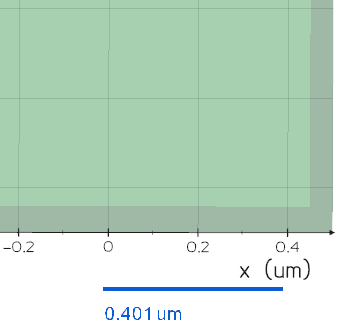
Source code in vedo/plotter/runtime.py
1854
1855
1856
1857
1858
1859
1860
1861
1862
1863
1864
1865
1866
1867
1868
1869
1870
1871
1872
1873
1874
1875
1876
1877
1878
1879
1880
1881
1882
1883
1884
1885
1886
1887
1888
1889
1890
1891
1892
1893
1894
1895
1896
1897
1898
1899
1900
1901
1902
1903
1904
1905
1906
1907
1908
1909
1910
1911
1912
1913
1914
1915
1916
1917
1918
1919
1920
1921
1922
1923
1924
1925
1926
1927
1928
1929
1930
1931
1932
1933
1934
1935
1936
1937
1938
1939
1940
1941
1942
1943
1944
1945
1946
1947
1948
1949
1950
1951
1952
1953
1954
1955
1956
1957
1958
def add_scale_indicator(
    self,
    pos=(0.7, 0.05),
    s=0.02,
    length=2,
    lw=4,
    c="k1",
    alpha=1,
    units="",
    gap=0.05,
) -> vedo.visual.Actor2D | None:
    """
    Add a Scale Indicator. Only works in parallel mode (no perspective).

    Args:
        pos (list):
            fractional (x,y) position on the screen.
        s (float):
            size of the text.
        length (float):
            length of the line.
        units (str):
            string to show units.
        gap (float):
            separation of line and text.

    Examples:
        ```python
        from vedo import settings, Cube, Plotter
        settings.use_parallel_projection = True # or else it does not make sense!
        cube = Cube().alpha(0.2)
        plt = Plotter(size=(900,600), axes=dict(xtitle='x (um)'))
        plt.add_scale_indicator(units='um', c='blue4')
        plt.show(cube, "Scale indicator with units").close()
        ```
        ![](https://vedo.embl.es/images/feats/scale_indicator.png)
    """
    # Note that this cannot go in addons.py
    # because it needs callbacks and window size
    if not self.interactor:
        return None

    ppoints = vtki.vtkPoints()  # Generate the polyline
    psqr = [[0.0, gap], [length / 10, gap]]
    dd = psqr[1][0] - psqr[0][0]
    for i, pt in enumerate(psqr):
        ppoints.InsertPoint(i, pt[0], pt[1], 0)
    lines = vtki.vtkCellArray()
    lines.InsertNextCell(len(psqr))
    for i in range(len(psqr)):
        lines.InsertCellPoint(i)
    pd = vtki.vtkPolyData()
    pd.SetPoints(ppoints)
    pd.SetLines(lines)

    wsx, wsy = self.window.GetSize()
    if not self.camera.GetParallelProjection():
        vedo.logger.warning(
            "add_scale_indicator called with use_parallel_projection OFF. Skip."
        )
        return None

    rlabel = vtki.new("VectorText")
    rlabel.SetText("scale")
    tf = vtki.new("TransformPolyDataFilter")
    tf.SetInputConnection(rlabel.GetOutputPort())
    t = vtki.vtkTransform()
    t.Scale(s * wsy / wsx, s, 1)
    tf.SetTransform(t)

    app = vtki.new("AppendPolyData")
    app.AddInputConnection(tf.GetOutputPort())
    app.AddInputData(pd)

    mapper = vtki.new("PolyDataMapper2D")
    mapper.SetInputConnection(app.GetOutputPort())
    cs = vtki.vtkCoordinate()
    cs.SetCoordinateSystem(1)
    mapper.SetTransformCoordinate(cs)

    fractor = vedo.visual.Actor2D()
    csys = fractor.GetPositionCoordinate()
    csys.SetCoordinateSystem(3)
    fractor.SetPosition(pos)
    fractor.SetMapper(mapper)
    fractor.GetProperty().SetColor(vedo.get_color(c))
    fractor.GetProperty().SetOpacity(alpha)
    fractor.GetProperty().SetLineWidth(lw)
    fractor.GetProperty().SetDisplayLocationToForeground()

    def sifunc(iren, ev):
        wsx, wsy = self.window.GetSize()
        ps = self.camera.GetParallelScale()
        newtxt = utils.precision(ps / wsy * wsx * length * dd, 3)
        if units:
            newtxt += " " + units
        if rlabel.GetText() != newtxt:
            rlabel.SetText(newtxt)

    self.renderer.AddActor(fractor)
    self.interactor.AddObserver("MouseWheelBackwardEvent", sifunc)
    self.interactor.AddObserver("MouseWheelForwardEvent", sifunc)
    self.interactor.AddObserver("InteractionEvent", sifunc)
    sifunc(0, 0)
    return fractor

add_shadows()

Add shadows at the current renderer.

Source code in vedo/plotter/runtime.py
1527
1528
1529
1530
1531
1532
1533
1534
1535
1536
1537
1538
1539
def add_shadows(self) -> Self:
    """Add shadows at the current renderer."""
    if self.renderer:
        shadows = vtki.new("ShadowMapPass")
        seq = vtki.new("SequencePass")
        passes = vtki.new("RenderPassCollection")
        passes.AddItem(shadows.GetShadowMapBakerPass())
        passes.AddItem(shadows)
        seq.SetPasses(passes)
        camerapass = vtki.new("CameraPass")
        camerapass.SetDelegatePass(seq)
        self.renderer.SetPass(camerapass)
    return self

add_slider(sliderfunc, xmin, xmax, value=None, pos=4, title='', font='Calco', title_size=1, c=None, alpha=1, show_value=True, delayed=False, **options)

Add a vedo.addons.Slider2D which can call an external custom function.

Parameters:

Name Type Description Default
sliderfunc Callable

external function to be called by the widget

required
xmin float

lower value of the slider

required
xmax float

upper value

required
value float

current value

None
pos (list, str)

position corner number: horizontal [1-5] or vertical [11-15] it can also be specified by corners coordinates [(x1,y1), (x2,y2)] and also by a string descriptor (eg. "bottom-left")

4
title str

title text

''
font str

title font face. Check available fonts here.

'Calco'
title_size float

title text scale [1.0]

1
show_value bool

if True current value is shown

True
delayed bool

if True the callback is delayed until when the mouse button is released

False
alpha float

opacity of the scalar bar texts

1
slider_length float

slider length

required
slider_width float

slider width

required
end_cap_length float

length of the end cap

required
end_cap_width float

width of the end cap

required
tube_width float

width of the tube

required
title_height float

width of the title

required
tformat str

format of the title

required

Examples:

Source code in vedo/plotter/runtime.py
1063
1064
1065
1066
1067
1068
1069
1070
1071
1072
1073
1074
1075
1076
1077
1078
1079
1080
1081
1082
1083
1084
1085
1086
1087
1088
1089
1090
1091
1092
1093
1094
1095
1096
1097
1098
1099
1100
1101
1102
1103
1104
1105
1106
1107
1108
1109
1110
1111
1112
1113
1114
1115
1116
1117
1118
1119
1120
1121
1122
1123
1124
1125
1126
1127
1128
1129
1130
1131
1132
1133
1134
1135
1136
1137
1138
1139
1140
1141
1142
1143
1144
1145
1146
1147
1148
1149
1150
1151
1152
1153
1154
1155
1156
1157
def add_slider(
    self,
    sliderfunc,
    xmin,
    xmax,
    value=None,
    pos=4,
    title="",
    font="Calco",
    title_size=1,
    c=None,
    alpha=1,
    show_value=True,
    delayed=False,
    **options,
) -> vedo.addons.Slider2D:
    """
    Add a `vedo.addons.Slider2D` which can call an external custom function.

    Args:
        sliderfunc (Callable):
            external function to be called by the widget
        xmin (float):
            lower value of the slider
        xmax (float):
            upper value
        value (float):
            current value
        pos (list, str):
            position corner number: horizontal [1-5] or vertical [11-15]
            it can also be specified by corners coordinates [(x1,y1), (x2,y2)]
            and also by a string descriptor (eg. "bottom-left")
        title (str):
            title text
        font (str):
            title font face. Check [available fonts here](https://vedo.embl.es/fonts).
        title_size (float):
            title text scale [1.0]
        show_value (bool):
            if True current value is shown
        delayed (bool):
            if True the callback is delayed until when the mouse button is released
        alpha (float):
            opacity of the scalar bar texts
        slider_length (float):
            slider length
        slider_width (float):
            slider width
        end_cap_length (float):
            length of the end cap
        end_cap_width (float):
            width of the end cap
        tube_width (float):
            width of the tube
        title_height (float):
            width of the title
        tformat (str):
            format of the title

    Examples:
        - [sliders1.py](https://github.com/marcomusy/vedo/tree/master/examples/basic/sliders1.py)
        - [sliders2.py](https://github.com/marcomusy/vedo/tree/master/examples/basic/sliders2.py)

        ![](https://user-images.githubusercontent.com/32848391/50738848-be033480-11d8-11e9-9b1a-c13105423a79.jpg)
    """
    if c is None:  # automatic black or white
        c = (0.8, 0.8, 0.8)
        if np.sum(vedo.get_color(self.backgrcol)) > 1.5:
            c = (0.2, 0.2, 0.2)
    else:
        c = vedo.get_color(c)

    slider2d = addons.Slider2D(
        sliderfunc,
        xmin,
        xmax,
        value,
        pos,
        title,
        font,
        title_size,
        c,
        alpha,
        show_value,
        delayed,
        **options,
    )

    if self.renderer:
        slider2d.renderer = self.renderer
        if self.interactor:
            slider2d.interactor = self.interactor
            slider2d.on()
            self.sliders.append([slider2d, sliderfunc])
    return slider2d

add_slider3d(sliderfunc, pos1, pos2, xmin, xmax, value=None, s=0.03, t=1, title='', rotation=0.0, c=None, show_value=True)

Add a 3D slider widget which can call an external custom function.

Parameters:

Name Type Description Default
sliderfunc function

external function to be called by the widget

required
pos1 list

first position 3D coordinates

required
pos2 list

second position coordinates

required
xmin float

lower value

required
xmax float

upper value

required
value float

initial value

None
s float

label scaling factor

0.03
t float

tube scaling factor

1
title str

title text

''
c color

slider color

None
rotation float

title rotation around slider axis

0.0
show_value bool

if True current value is shown

True

Examples:

Source code in vedo/plotter/runtime.py
1159
1160
1161
1162
1163
1164
1165
1166
1167
1168
1169
1170
1171
1172
1173
1174
1175
1176
1177
1178
1179
1180
1181
1182
1183
1184
1185
1186
1187
1188
1189
1190
1191
1192
1193
1194
1195
1196
1197
1198
1199
1200
1201
1202
1203
1204
1205
1206
1207
1208
1209
1210
1211
1212
1213
1214
1215
1216
1217
1218
1219
1220
1221
1222
1223
1224
1225
1226
1227
1228
1229
1230
1231
1232
1233
1234
1235
def add_slider3d(
    self,
    sliderfunc,
    pos1,
    pos2,
    xmin,
    xmax,
    value=None,
    s=0.03,
    t=1,
    title="",
    rotation=0.0,
    c=None,
    show_value=True,
) -> vedo.addons.Slider3D:
    """
    Add a 3D slider widget which can call an external custom function.

    Args:
        sliderfunc (function):
            external function to be called by the widget
        pos1 (list):
            first position 3D coordinates
        pos2 (list):
            second position coordinates
        xmin (float):
            lower value
        xmax (float):
            upper value
        value (float):
            initial value
        s (float):
            label scaling factor
        t (float):
            tube scaling factor
        title (str):
            title text
        c (color):
            slider color
        rotation (float):
            title rotation around slider axis
        show_value (bool):
            if True current value is shown

    Examples:
        - [sliders3d.py](https://github.com/marcomusy/vedo/tree/master/examples/basic/sliders3d.py)

        ![](https://user-images.githubusercontent.com/32848391/52859555-4efcf200-312d-11e9-9290-6988c8295163.png)
    """
    if c is None:  # automatic black or white
        c = (0.8, 0.8, 0.8)
        if np.sum(vedo.get_color(self.backgrcol)) > 1.5:
            c = (0.2, 0.2, 0.2)
    else:
        c = vedo.get_color(c)

    slider3d = addons.Slider3D(
        sliderfunc,
        pos1,
        pos2,
        xmin,
        xmax,
        value,
        s,
        t,
        title,
        rotation,
        c,
        show_value,
    )
    if self.renderer:
        slider3d.renderer = self.renderer
        if self.interactor:
            slider3d.interactor = self.interactor
            slider3d.on()
            self.sliders.append([slider3d, sliderfunc])
    return slider3d

add_spline_tool(points, pc='k', ps=8, lc='r4', ac='g5', lw=2, alpha=1, closed=False, ontop=True, can_add_nodes=True)

Add a spline tool to the current plotter. Nodes of the spline can be dragged in space with the mouse. Clicking on the line itself adds an extra point. Selecting a point and pressing del removes it.

Parameters:

Name Type Description Default
points (Mesh, Points, array)

the set of coordinates forming the spline nodes.

required
pc str

point color. The default is 'k'.

'k'
ps str

point size. The default is 8.

8
lc str

line color. The default is 'r4'.

'r4'
ac str

active point marker color. The default is 'g5'.

'g5'
lw int

line width. The default is 2.

2
alpha float

line transparency.

1
closed bool

spline is meant to be closed. The default is False.

False

Returns:

Type Description
SplineTool

a SplineTool object.

Examples:

Source code in vedo/plotter/runtime.py
1295
1296
1297
1298
1299
1300
1301
1302
1303
1304
1305
1306
1307
1308
1309
1310
1311
1312
1313
1314
1315
1316
1317
1318
1319
1320
1321
1322
1323
1324
1325
1326
1327
1328
1329
1330
1331
1332
1333
1334
1335
1336
1337
1338
1339
1340
1341
1342
1343
1344
1345
1346
1347
1348
1349
1350
1351
1352
1353
1354
def add_spline_tool(
    self,
    points,
    pc="k",
    ps=8,
    lc="r4",
    ac="g5",
    lw=2,
    alpha=1,
    closed=False,
    ontop=True,
    can_add_nodes=True,
) -> vedo.addons.SplineTool:
    """
    Add a spline tool to the current plotter.
    Nodes of the spline can be dragged in space with the mouse.
    Clicking on the line itself adds an extra point.
    Selecting a point and pressing del removes it.

    Args:
        points (Mesh, Points, array):
            the set of coordinates forming the spline nodes.
        pc (str):
            point color. The default is 'k'.
        ps (str):
            point size. The default is 8.
        lc (str):
            line color. The default is 'r4'.
        ac (str):
            active point marker color. The default is 'g5'.
        lw (int):
            line width. The default is 2.
        alpha (float):
            line transparency.
        closed (bool):
            spline is meant to be closed. The default is False.

    Returns:
        a `SplineTool` object.

    Examples:
        - [spline_tool.py](https://github.com/marcomusy/vedo/tree/master/examples/basic/spline_tool.py)

        ![](https://vedo.embl.es/images/basic/spline_tool.png)
    """
    if not self.interactor:
        return addons.SplineTool(
            points, pc, ps, lc, ac, lw, alpha, closed, ontop, can_add_nodes
        )
    sw = addons.SplineTool(
        points, pc, ps, lc, ac, lw, alpha, closed, ontop, can_add_nodes
    )
    sw.interactor = self.interactor
    sw.on()
    sw.Initialize(sw.points.dataset)
    sw.representation.SetRenderer(self.renderer)
    sw.representation.SetClosedLoop(closed)
    sw.representation.BuildRepresentation()
    self.widgets.append(sw)
    return sw

at(nren, yren=None)

Select the current renderer number as an int. Can also use the [nx, ny] format.

Source code in vedo/plotter/runtime.py
872
873
874
875
876
877
878
879
880
881
882
883
884
885
886
887
888
889
890
891
892
893
894
895
896
897
898
899
def at(self, nren: int, yren=None) -> Self:
    """
    Select the current renderer number as an int.
    Can also use the `[nx, ny]` format.
    """
    if utils.is_sequence(nren):
        if len(nren) == 2:
            nren, yren = nren
        else:
            vedo.logger.error(
                "at() argument must be a single number or a list of two numbers"
            )
            raise TypeError

    if yren is not None:
        if len(self.shape) != 2:
            vedo.logger.error("at(nx, ny) requires a 2D grid shape.")
            raise RuntimeError
        a, b = self.shape
        x, y = nren, yren
        nren_orig = nren
        nren = x * b + y
        if nren < 0 or nren > len(self.renderers) or x >= a or y >= b:
            vedo.logger.error(f"at({nren_orig, yren}) is malformed!")
            raise RuntimeError

    self.renderer = self.renderers[nren]
    return self

background(c1=None, c2=None, at=None, mode=0)

Set the color of the background for the current renderer. A different renderer index can be specified by keyword at.

Parameters:

Name Type Description Default
c1 list

background main color.

None
c2 list

background color for the upper part of the window.

None
at int

renderer index.

None
mode int

background mode (needs vtk version >= 9.3) 0 = vertical, 1 = horizontal, 2 = radial farthest side, 3 = radial farthest corner.

0
Source code in vedo/plotter/runtime.py
903
904
905
906
907
908
909
910
911
912
913
914
915
916
917
918
919
920
921
922
923
924
925
926
927
928
929
930
931
932
933
934
935
936
937
938
939
940
941
942
943
944
945
946
947
948
def background(self, c1=None, c2=None, at=None, mode=0) -> Self | np.ndarray:
    """Set the color of the background for the current renderer.
    A different renderer index can be specified by keyword `at`.

    Args:
        c1 (list):
            background main color.
        c2 (list):
            background color for the upper part of the window.
        at (int):
            renderer index.
        mode (int):
            background mode (needs vtk version >= 9.3)
                0 = vertical,
                1 = horizontal,
                2 = radial farthest side,
                3 = radial farthest corner.
    """
    if not self.renderers:
        return self
    r = self.renderer if at is None else self.renderers[at]

    if c1 is None and c2 is None:
        return np.array(r.GetBackground())

    if r:
        if c1 is not None:
            r.SetBackground(vedo.get_color(c1))
        if c2 is not None:
            r.GradientBackgroundOn()
            r.SetBackground2(vedo.get_color(c2))
            if mode:
                try:  # only works with vtk>=9.3
                    modes = [
                        vtki.vtkViewport.GradientModes.VTK_GRADIENT_VERTICAL,
                        vtki.vtkViewport.GradientModes.VTK_GRADIENT_HORIZONTAL,
                        vtki.vtkViewport.GradientModes.VTK_GRADIENT_RADIAL_VIEWPORT_FARTHEST_SIDE,
                        vtki.vtkViewport.GradientModes.VTK_GRADIENT_RADIAL_VIEWPORT_FARTHEST_CORNER,
                    ]
                    r.SetGradientMode(modes[mode])
                except AttributeError:
                    pass

        else:
            r.GradientBackgroundOff()
    return self

check_actors_transform(at=None)

Reset the transformation matrix of all actors at specified renderer. This is only useful when actors have been moved/rotated/scaled manually in an already rendered scene using interactors like 'TrackballActor' or 'JoystickActor'.

Source code in vedo/plotter/runtime.py
952
953
954
955
956
957
958
959
960
961
962
963
964
965
966
967
968
969
970
971
972
973
974
def check_actors_transform(self, at=None) -> Self:
    """
    Reset the transformation matrix of all actors at specified renderer.
    This is only useful when actors have been moved/rotated/scaled manually
    in an already rendered scene using interactors like
    'TrackballActor' or 'JoystickActor'.
    """
    # see issue https://github.com/marcomusy/vedo/issues/1046
    for a in self.get_actors(at=at, include_non_pickables=True):
        try:
            M = a.GetMatrix()
        except AttributeError:
            continue
        if M and not M.IsIdentity():
            try:
                a.retrieve_object().apply_transform_from_actor()
                # vedo.logger.info(
                #     f"object '{a.retrieve_object().name}' "
                #     "was manually moved. Updated to its current position."
                # )
            except AttributeError:
                pass
    return self

color_picker(xy, verbose=False)

Pick color of specific (x,y) pixel on the screen.

Source code in vedo/plotter/runtime.py
2491
2492
2493
2494
2495
2496
2497
2498
2499
2500
2501
2502
2503
2504
2505
2506
2507
2508
2509
def color_picker(self, xy, verbose=False):
    """Pick color of specific (x,y) pixel on the screen."""
    w2if = vtki.new("WindowToImageFilter")
    w2if.SetInput(self.window)
    w2if.ReadFrontBufferOff()
    w2if.Update()
    nx, ny = self.window.GetSize()
    varr = w2if.GetOutput().GetPointData().GetScalars()

    arr = utils.vtk2numpy(varr).reshape(ny, nx, 3)
    x, y = int(xy[0]), int(xy[1])
    if y < ny and x < nx:
        rgb = arr[y, x]
        if verbose:
            _print_color_picker_report(x, y, rgb)

        return rgb

    return None

play(recorded_events='', repeats=0)

Play camera, mouse, keystrokes and all other events.

Parameters:

Name Type Description Default
events str

file o string of events. The default is vedo.settings.cache_directory+"vedo/recorded_events.log".

required
repeats int

number of extra repeats of the same events. The default is 0.

0

Examples:

Source code in vedo/plotter/runtime.py
1018
1019
1020
1021
1022
1023
1024
1025
1026
1027
1028
1029
1030
1031
1032
1033
1034
1035
1036
1037
1038
1039
1040
1041
1042
1043
1044
1045
1046
1047
1048
1049
1050
1051
1052
1053
1054
1055
1056
1057
1058
1059
1060
def play(self, recorded_events="", repeats=0) -> Self:
    """
    Play camera, mouse, keystrokes and all other events.

    Args:
        events (str):
            file o string of events.
            The default is `vedo.settings.cache_directory+"vedo/recorded_events.log"`.
        repeats (int):
            number of extra repeats of the same events. The default is 0.

    Examples:
        - [record_play.py](https://github.com/marcomusy/vedo/tree/master/examples/basic/record_play.py)
    """
    if vedo.settings.dry_run_mode >= 1:
        return self
    if not self.interactor:
        vedo.logger.warning("Cannot play events, no interactor defined.")
        return self

    erec = vtki.new("InteractorEventRecorder")
    erec.SetInteractor(self.interactor)

    if not recorded_events:
        home_dir = os.path.expanduser("~")
        recorded_events = os.path.join(
            home_dir, vedo.settings.cache_directory, "vedo", "recorded_events.log"
        )

    if recorded_events.endswith(".log"):
        erec.ReadFromInputStringOff()
        erec.SetFileName(recorded_events)
    else:
        erec.ReadFromInputStringOn()
        erec.SetInputString(recorded_events)

    erec.Play()
    for _ in range(repeats):
        erec.Rewind()
        erec.Play()
    erec.EnabledOff()
    erec = None
    return self

print()

Print information about the current instance.

Source code in vedo/plotter/runtime.py
851
852
853
854
def print(self):
    """Print information about the current instance."""
    print(self)
    return self

record(filename='')

Record camera, mouse, keystrokes and all other events. Recording can be toggled on/off by pressing key "R".

Parameters:

Name Type Description Default
filename str

ascii file to store events. The default is vedo.settings.cache_directory+"vedo/recorded_events.log".

''

Returns:

Type Description
str

a string descriptor of events.

Examples:

Source code in vedo/plotter/runtime.py
 976
 977
 978
 979
 980
 981
 982
 983
 984
 985
 986
 987
 988
 989
 990
 991
 992
 993
 994
 995
 996
 997
 998
 999
1000
1001
1002
1003
1004
1005
1006
1007
1008
1009
1010
1011
1012
1013
1014
1015
1016
def record(self, filename="") -> str:
    """
    Record camera, mouse, keystrokes and all other events.
    Recording can be toggled on/off by pressing key "R".

    Args:
        filename (str):
            ascii file to store events.
            The default is `vedo.settings.cache_directory+"vedo/recorded_events.log"`.

    Returns:
        a string descriptor of events.

    Examples:
        - [record_play.py](https://github.com/marcomusy/vedo/tree/master/examples/basic/record_play.py)
    """
    if vedo.settings.dry_run_mode >= 1:
        return ""
    if not self.interactor:
        vedo.logger.warning("Cannot record events, no interactor defined.")
        return ""
    erec = vtki.new("InteractorEventRecorder")
    erec.SetInteractor(self.interactor)
    if not filename:
        home_dir = os.path.expanduser("~")
        filename = os.path.join(
            home_dir, vedo.settings.cache_directory, "vedo", "recorded_events.log"
        )
        os.makedirs(os.path.dirname(filename), exist_ok=True)
        print("Events will be recorded in", filename)
    erec.SetFileName(filename)
    erec.SetKeyPressActivationValue("R")
    erec.EnabledOn()
    erec.Record()
    self.interactor.Start()
    erec.Stop()
    erec.EnabledOff()
    with open(filename, "r", encoding="UTF-8") as fl:
        events = fl.read()
    erec = None
    return events

show(*objects, at=None, axes=None, resetcam=None, zoom=False, interactive=None, viewup='', azimuth=0.0, elevation=0.0, roll=0.0, camera=None, mode=None, rate=None, bg=None, bg2=None, size=None, title=None, screenshot='')

Render a list of objects.

Parameters:

Name Type Description Default
at int

number of the renderer to plot to, in case of more than one exists

None
axes int

axis type-1 can be fully customized by passing a dictionary. Check addons.Axes() for the full list of options. set the type of axes to be shown: - 0, no axes - 1, draw three gray grid walls - 2, show cartesian axes from (0,0,0) - 3, show positive range of cartesian axes from (0,0,0) - 4, show a triad at bottom left - 5, show a cube at bottom left - 6, mark the corners of the bounding box - 7, draw a 3D ruler at each side of the cartesian axes - 8, show the vtkCubeAxesActor object - 9, show the bounding box outLine - 10, show three circles representing the maximum bounding box - 11, show a large grid on the x-y plane - 12, show polar axes - 13, draw a simple ruler at the bottom of the window

None
azimuth/elevation/roll

(float) move camera accordingly the specified value

required
viewup

str, list either ['x', 'y', 'z'] or a vector to set vertical direction

''
resetcam bool

re-adjust camera position to fit objects

None
camera (dict, vtkCamera)

camera parameters can further be specified with a dictionary assigned to the camera keyword (E.g. show(camera={'pos':(1,2,3), 'thickness':1000,})): - pos, (list), the position of the camera in world coordinates - focal_point (list), the focal point of the camera in world coordinates - viewup (list), the view up direction for the camera - distance (float), set the focal point to the specified distance from the camera position. - clipping_range (float), distance of the near and far clipping planes along the direction of projection. - parallel_scale (float), scaling used for a parallel projection, i.e. the height of the viewport in world-coordinate distances. The default is 1. Note that the "scale" parameter works as an "inverse scale", larger numbers produce smaller images. This method has no effect in perspective projection mode.

  • thickness (float), set the distance between clipping planes. This method adjusts the far clipping plane to be set a distance 'thickness' beyond the near clipping plane.

  • view_angle (float), the camera view angle, which is the angular height of the camera view measured in degrees. The default angle is 30 degrees. This method has no effect in parallel projection mode. The formula for setting the angle up for perfect perspective viewing is: angle = 2*atan((h/2)/d) where h is the height of the RenderWindow (measured by holding a ruler up to your screen) and d is the distance from your eyes to the screen.

None
interactive bool

pause and interact with window (True) or continue execution (False)

None
rate float

maximum rate of show() in Hertz

None
mode (int, str)

set the type of interaction: - 0 = TrackballCamera [default] - 1 = TrackballActor - 2 = JoystickCamera - 3 = JoystickActor - 4 = Flight - 5 = RubberBand2D - 6 = RubberBand3D - 7 = RubberBandZoom - 8 = Terrain - 9 = Unicam - 10 = Image - Check out vedo.interaction_modes for more options.

None
bg (str, list)

background color in RGB format, or string name

None
bg2 (str, list)

second background color to create a gradient background

None
size (str, list)

size of the window, e.g. size="fullscreen", or size=[600,400]

None
title str

window title text

None
screenshot str

save a screenshot of the window to file

''
Source code in vedo/plotter/runtime.py
2076
2077
2078
2079
2080
2081
2082
2083
2084
2085
2086
2087
2088
2089
2090
2091
2092
2093
2094
2095
2096
2097
2098
2099
2100
2101
2102
2103
2104
2105
2106
2107
2108
2109
2110
2111
2112
2113
2114
2115
2116
2117
2118
2119
2120
2121
2122
2123
2124
2125
2126
2127
2128
2129
2130
2131
2132
2133
2134
2135
2136
2137
2138
2139
2140
2141
2142
2143
2144
2145
2146
2147
2148
2149
2150
2151
2152
2153
2154
2155
2156
2157
2158
2159
2160
2161
2162
2163
2164
2165
2166
2167
2168
2169
2170
2171
2172
2173
2174
2175
2176
2177
2178
2179
2180
2181
2182
2183
2184
2185
2186
2187
2188
2189
2190
2191
2192
2193
2194
2195
2196
2197
2198
2199
2200
2201
2202
2203
2204
2205
2206
2207
2208
2209
2210
2211
2212
2213
2214
2215
2216
2217
2218
2219
2220
2221
2222
2223
2224
2225
2226
2227
2228
2229
2230
2231
2232
2233
2234
2235
2236
2237
2238
2239
2240
2241
2242
2243
2244
2245
2246
2247
2248
2249
2250
2251
2252
2253
2254
2255
2256
2257
2258
2259
2260
2261
2262
2263
2264
2265
2266
2267
2268
2269
2270
2271
2272
2273
2274
2275
2276
2277
2278
2279
2280
2281
2282
2283
2284
2285
2286
2287
2288
2289
2290
2291
2292
2293
2294
2295
2296
2297
2298
2299
2300
2301
2302
2303
2304
2305
2306
2307
2308
2309
2310
2311
2312
2313
2314
2315
2316
2317
2318
2319
2320
2321
2322
2323
2324
2325
2326
2327
2328
2329
2330
2331
2332
2333
2334
2335
2336
2337
2338
2339
2340
2341
2342
2343
2344
2345
2346
2347
2348
2349
2350
2351
2352
2353
2354
2355
2356
2357
2358
2359
2360
2361
2362
2363
2364
2365
2366
2367
2368
2369
2370
2371
2372
2373
2374
2375
2376
2377
2378
2379
2380
2381
2382
2383
2384
2385
2386
2387
2388
2389
2390
2391
2392
2393
2394
2395
2396
2397
2398
2399
2400
2401
2402
2403
2404
2405
2406
2407
2408
def show(
    self,
    *objects,
    at=None,
    axes=None,
    resetcam=None,
    zoom=False,
    interactive=None,
    viewup="",
    azimuth=0.0,
    elevation=0.0,
    roll=0.0,
    camera=None,
    mode=None,
    rate=None,
    bg=None,
    bg2=None,
    size=None,
    title=None,
    screenshot="",
) -> Any:
    """
    Render a list of objects.

    Args:
        at (int):
            number of the renderer to plot to, in case of more than one exists

        axes (int):
            axis type-1 can be fully customized by passing a dictionary.
            Check `addons.Axes()` for the full list of options.
            set the type of axes to be shown:
            - 0,  no axes
            - 1,  draw three gray grid walls
            - 2,  show cartesian axes from (0,0,0)
            - 3,  show positive range of cartesian axes from (0,0,0)
            - 4,  show a triad at bottom left
            - 5,  show a cube at bottom left
            - 6,  mark the corners of the bounding box
            - 7,  draw a 3D ruler at each side of the cartesian axes
            - 8,  show the `vtkCubeAxesActor` object
            - 9,  show the bounding box outLine
            - 10, show three circles representing the maximum bounding box
            - 11, show a large grid on the x-y plane
            - 12, show polar axes
            - 13, draw a simple ruler at the bottom of the window

        azimuth/elevation/roll : (float)
            move camera accordingly the specified value

        viewup: str, list
            either `['x', 'y', 'z']` or a vector to set vertical direction

        resetcam (bool):
            re-adjust camera position to fit objects

        camera (dict, vtkCamera):
            camera parameters can further be specified with a dictionary
            assigned to the `camera` keyword (E.g. `show(camera={'pos':(1,2,3), 'thickness':1000,})`):
            - pos, `(list)`,  the position of the camera in world coordinates
            - focal_point `(list)`, the focal point of the camera in world coordinates
            - viewup `(list)`, the view up direction for the camera
            - distance `(float)`, set the focal point to the specified distance from the camera position.
            - clipping_range `(float)`, distance of the near and far clipping planes along the direction of projection.
            - parallel_scale `(float)`, scaling used for a parallel projection, i.e. the height of the viewport
            in world-coordinate distances. The default is 1.
            Note that the "scale" parameter works as an "inverse scale", larger numbers produce smaller images.
            This method has no effect in perspective projection mode.

            - thickness `(float)`, set the distance between clipping planes. This method adjusts the far clipping
            plane to be set a distance 'thickness' beyond the near clipping plane.

            - view_angle `(float)`, the camera view angle, which is the angular height of the camera view
            measured in degrees. The default angle is 30 degrees.
            This method has no effect in parallel projection mode.
            The formula for setting the angle up for perfect perspective viewing is:
            angle = 2*atan((h/2)/d) where h is the height of the RenderWindow
            (measured by holding a ruler up to your screen) and d is the distance from your eyes to the screen.

        interactive (bool):
            pause and interact with window (True) or continue execution (False)

        rate (float):
            maximum rate of `show()` in Hertz

        mode (int, str):
            set the type of interaction:
            - 0 = TrackballCamera [default]
            - 1 = TrackballActor
            - 2 = JoystickCamera
            - 3 = JoystickActor
            - 4 = Flight
            - 5 = RubberBand2D
            - 6 = RubberBand3D
            - 7 = RubberBandZoom
            - 8 = Terrain
            - 9 = Unicam
            - 10 = Image
            - Check out `vedo.interaction_modes` for more options.

        bg (str, list):
            background color in RGB format, or string name

        bg2 (str, list):
            second background color to create a gradient background

        size (str, list):
            size of the window, e.g. size="fullscreen", or size=[600,400]

        title (str):
            window title text

        screenshot (str):
            save a screenshot of the window to file
    """

    # Keep the trame notebook path exercisable in dry-run mode so the
    # backend smoke test can still verify server/controller wiring.
    if (
        vedo.settings.dry_run_mode >= 2
        and vedo.settings.default_backend != "trame"
    ):
        return self

    if self.wx_widget:
        return self

    if self.renderers:  # in case of notebooks
        if at is None:
            at = self.renderers.index(self.renderer)

        else:
            if at >= len(self.renderers):
                t = f"trying to show(at={at}) but only {len(self.renderers)} renderers exist"
                vedo.logger.error(t)
                return self

            self.renderer = self.renderers[at]

    if title is not None:
        self.title = title

    if size is not None:
        self.size = size
        if self.size[0] == "f":  # full screen
            self.size = "fullscreen"
            self.window.SetFullScreen(True)
            self.window.BordersOn()
        else:
            self.window.SetSize(int(self.size[0]), int(self.size[1]))

    if vedo.settings.default_backend == "vtk":
        if str(bg).endswith(".hdr"):
            self._add_skybox(bg)
        else:
            if bg is not None:
                self.backgrcol = vedo.get_color(bg)
                self.renderer.SetBackground(self.backgrcol)
            if bg2 is not None:
                self.renderer.GradientBackgroundOn()
                self.renderer.SetBackground2(vedo.get_color(bg2))

    if axes is not None:
        if isinstance(axes, vedo.Assembly):  # user passing show(..., axes=myaxes)
            objects = list(objects)
            objects.append(axes)  # move it into the list of normal things to show
            axes = 0
        self.axes = axes

    if interactive is not None:
        self._interactive = interactive
    if self.offscreen:
        self._interactive = False

    # camera stuff
    if resetcam is not None:
        self.resetcam = resetcam

    if camera is not None:
        self.resetcam = False
        viewup = ""
        if isinstance(camera, vtki.vtkCamera):
            cameracopy = vtki.vtkCamera()
            cameracopy.DeepCopy(camera)
            self.camera = cameracopy
        else:
            self.camera = utils.camera_from_dict(camera)

    self.add(objects)

    # Backend ###############################################################
    if vedo.settings.default_backend in ["k3d", "panel"]:
        return vedo.backends.get_notebook_backend(self.objects)
    #########################################################################

    for ia in utils.flatten(objects):
        try:
            # fix gray color labels and title to white or black
            ltc = np.array(ia.scalarbar.GetLabelTextProperty().GetColor())
            if np.linalg.norm(ltc - (0.5, 0.5, 0.5)) / 3 < 0.05:
                c = (0.9, 0.9, 0.9)
                if np.sum(self.renderer.GetBackground()) > 1.5:
                    c = (0.1, 0.1, 0.1)
                ia.scalarbar.GetLabelTextProperty().SetColor(c)
                ia.scalarbar.GetTitleTextProperty().SetColor(c)
        except AttributeError:
            pass

    if self.sharecam:
        for r in self.renderers:
            r.SetActiveCamera(self.camera)

    if self.axes is not None:
        if viewup != "2d" or self.axes in [1, 8] or isinstance(self.axes, dict):
            bns = self.renderer.ComputeVisiblePropBounds()
            addons.add_global_axes(self.axes, bounds=bns)

    # Backend ###############################################################
    if vedo.settings.default_backend in ["ipyvtk", "trame"]:
        return vedo.backends.get_notebook_backend()
    #########################################################################

    if self.resetcam and self.renderer:
        self.renderer.ResetCamera()

    if len(self.renderers) > 1:
        self.add_renderer_frame()

    if vedo.settings.default_backend == "2d" and not zoom:
        zoom = "tightest"

    if zoom:
        if zoom == "tight":
            self.reset_camera(tight=0.04)
        elif zoom == "tightest":
            self.reset_camera(tight=0.0001)
        else:
            self.camera.Zoom(zoom)
    if elevation:
        self.camera.Elevation(elevation)
    if azimuth:
        self.camera.Azimuth(azimuth)
    if roll:
        self.camera.Roll(roll)

    if len(viewup) > 0:
        b = self.renderer.ComputeVisiblePropBounds()
        cm = np.array([(b[1] + b[0]) / 2, (b[3] + b[2]) / 2, (b[5] + b[4]) / 2])
        sz = np.array([(b[1] - b[0]), (b[3] - b[2]), (b[5] - b[4])])
        if viewup == "x":
            sz = np.linalg.norm(sz)
            self.camera.SetViewUp([1, 0, 0])
            self.camera.SetPosition(cm + sz)
        elif viewup == "y":
            sz = np.linalg.norm(sz)
            self.camera.SetViewUp([0, 1, 0])
            self.camera.SetPosition(cm + sz)
        elif viewup == "z":
            sz = np.array(
                [(b[1] - b[0]) * 0.7, -(b[3] - b[2]) * 1.0, (b[5] - b[4]) * 1.2]
            )
            self.camera.SetViewUp([0, 0, 1])
            self.camera.SetPosition(cm + 2 * sz)
        elif utils.is_sequence(viewup):
            sz = np.linalg.norm(sz)
            self.camera.SetViewUp(viewup)
            cpos = np.cross([0, 1, 0], viewup)
            self.camera.SetPosition(cm - 2 * sz * cpos)

    self.renderer.ResetCameraClippingRange()

    self.initialize_interactor()

    if vedo.settings.immediate_rendering:
        self.window.Render()  ##################### <-------------- Render

    if self.interactor:  # can be offscreen or not the vtk backend..
        self.window.SetWindowName(self.title)

        # pic = vedo.Image(vedo.dataurl+'images/vtk_logo.png')
        # pic = vedo.Image('/home/musy/Downloads/icons8-3d-96.png')
        # print(pic.dataset)# Array 0 name PNGImage
        # self.window.SetIcon(pic.dataset)

        try:
            # Needs "pip install pyobjc" on Mac OSX
            if (
                self._cocoa_initialized is False
                and "Darwin" in vedo.sys_platform
                and not self.offscreen
            ):
                self._cocoa_initialized = True
                from Cocoa import (
                    NSRunningApplication,
                    NSApplicationActivateIgnoringOtherApps,
                )  # type: ignore

                pid = os.getpid()
                x = NSRunningApplication.runningApplicationWithProcessIdentifier_(
                    int(pid)
                )
                x.activateWithOptions_(NSApplicationActivateIgnoringOtherApps)
        except Exception:
            # vedo.logger.debug("On Mac OSX try: pip install pyobjc")
            pass

        # Set the interaction style
        if mode is not None:
            self.user_mode(mode)
        if self.qt_widget and mode is None:
            self.user_mode(0)

        if screenshot:
            self.screenshot(screenshot)

        if self._interactive and self.interactor:
            self.interactive()
            return self

        if rate:
            t = time.time() - self._clockt0
            elapsed = t - self.clock
            mint = 1.0 / rate
            if elapsed < mint:
                time.sleep(mint - elapsed)
                self.clock = time.time() - self._clockt0

    # 2d ####################################################################
    if vedo.settings.default_backend in ["2d"]:
        return vedo.backends.get_notebook_backend()
    #########################################################################

    return self

show(*objects, at=None, shape=(1, 1), N=None, pos=(0, 0), size='auto', screensize='auto', title='vedo', bg='white', bg2=None, axes=None, interactive=None, offscreen=False, sharecam=True, resetcam=True, zoom=None, viewup='', azimuth=0.0, elevation=0.0, roll=0.0, camera=None, mode=None, screenshot='', new=False)

Create on the fly an instance of class Plotter and show the object(s) provided.

Parameters:

Name Type Description Default
at int

number of the renderer to plot to, in case of more than one exists

None
shape (list, str)

Number of sub-render windows inside of the main window. E.g.: specify two across with shape=(2,1) and a two by two grid with shape=(2, 2). By default there is only one renderer.

Can also accept a shape as string descriptor. E.g.: - shape="3|1" means 3 plots on the left and 1 on the right, - shape="4/2" means 4 plots on top of 2 at bottom.

(1, 1)
N int

number of desired sub-render windows arranged automatically in a grid

None
pos list

position coordinates of the top-left corner of the rendering window on the screen

(0, 0)
size list

size of the rendering window

'auto'
screensize list

physical size of the monitor screen

'auto'
title str

window title

'vedo'
bg color

background color or specify jpg image file name with path

'white'
bg2 color

background color of a gradient towards the top

None
axes int

set the type of axes to be shown: - 0, no axes - 1, draw three gray grid walls - 2, show cartesian axes from (0,0,0) - 3, show positive range of cartesian axes from (0,0,0) - 4, show a triad at bottom left - 5, show a cube at bottom left - 6, mark the corners of the bounding box - 7, draw a 3D ruler at each side of the cartesian axes - 8, show the vtkCubeAxesActor object - 9, show the bounding box outLine - 10, show three circles representing the maximum bounding box - 11, show a large grid on the x-y plane - 12, show polar axes - 13, draw a simple ruler at the bottom of the window - 14: draw a CameraOrientationWidget

Axis type-1 can be fully customized by passing a dictionary. Check vedo.addons.Axes() for the full list of options.

None
azimuth/elevation/roll

(float) move camera accordingly the specified value

required
viewup (str, list)

either ['x', 'y', 'z'] or a vector to set vertical direction

''
resetcam bool

re-adjust camera position to fit objects

True
camera (dict, vtkCamera)

camera parameters can further be specified with a dictionary assigned to the camera keyword (E.g. show(camera={'pos':(1,2,3), 'thickness':1000,})): - pos (list), the position of the camera in world coordinates - focal_point (list), the focal point of the camera in world coordinates - viewup (list), the view up direction for the camera - distance (float), set the focal point to the specified distance from the camera position. - clipping_range (float), distance of the near and far clipping planes along the direction of projection. - parallel_scale (float), scaling used for a parallel projection, i.e. the height of the viewport in world-coordinate distances. The default is 1. Note that the "scale" parameter works as an "inverse scale", larger numbers produce smaller images. This method has no effect in perspective projection mode. - thickness (float), set the distance between clipping planes. This method adjusts the far clipping plane to be set a distance 'thickness' beyond the near clipping plane. - view_angle (float), the camera view angle, which is the angular height of the camera view measured in degrees. The default angle is 30 degrees. This method has no effect in parallel projection mode. The formula for setting the angle up for perfect perspective viewing is: angle = 2*atan((h/2)/d) where h is the height of the RenderWindow (measured by holding a ruler up to your screen) and d is the distance from your eyes to the screen.

None
interactive bool

pause and interact with window (True) or continue execution (False)

None
mode (int, str)

set the type of interaction: - 0 = TrackballCamera [default] - 1 = TrackballActor - 2 = JoystickCamera - 3 = JoystickActor - 4 = Flight - 5 = RubberBand2D - 6 = RubberBand3D - 7 = RubberBandZoom - 8 = Terrain - 9 = Unicam - 10 = Image

None
new bool

if set to True, a call to show will instantiate a new Plotter object (a new window) instead of reusing the first created. If new is True, but the existing plotter was instantiated with a different argument for offscreen, new is ignored and a new Plotter is created anyway.

False
Source code in vedo/plotter/runtime.py
101
102
103
104
105
106
107
108
109
110
111
112
113
114
115
116
117
118
119
120
121
122
123
124
125
126
127
128
129
130
131
132
133
134
135
136
137
138
139
140
141
142
143
144
145
146
147
148
149
150
151
152
153
154
155
156
157
158
159
160
161
162
163
164
165
166
167
168
169
170
171
172
173
174
175
176
177
178
179
180
181
182
183
184
185
186
187
188
189
190
191
192
193
194
195
196
197
198
199
200
201
202
203
204
205
206
207
208
209
210
211
212
213
214
215
216
217
218
219
220
221
222
223
224
225
226
227
228
229
230
231
232
233
234
235
236
237
238
239
240
241
242
243
244
245
246
247
248
249
250
251
252
253
254
255
256
257
258
259
260
261
262
263
264
265
266
267
268
269
270
271
272
273
274
275
276
277
278
279
280
281
282
283
284
285
286
287
288
289
290
291
292
293
294
295
296
297
298
299
300
301
302
303
304
305
306
307
308
309
310
311
312
313
314
315
316
317
318
319
320
321
322
323
324
325
326
327
328
329
330
331
332
333
334
335
336
337
338
339
340
def show(
    *objects,
    at=None,
    shape=(1, 1),
    N=None,
    pos=(0, 0),
    size="auto",
    screensize="auto",
    title="vedo",
    bg="white",
    bg2=None,
    axes=None,
    interactive=None,
    offscreen=False,
    sharecam=True,
    resetcam=True,
    zoom=None,
    viewup="",
    azimuth=0.0,
    elevation=0.0,
    roll=0.0,
    camera=None,
    mode=None,
    screenshot="",
    new=False,
) -> Self | None:
    """
    Create on the fly an instance of class Plotter and show the object(s) provided.

    Args:
        at (int):
            number of the renderer to plot to, in case of more than one exists
        shape (list, str):
            Number of sub-render windows inside of the main window. E.g.:
            specify two across with shape=(2,1) and a two by two grid
            with shape=(2, 2). By default there is only one renderer.

            Can also accept a shape as string descriptor. E.g.:
            - shape="3|1" means 3 plots on the left and 1 on the right,
            - shape="4/2" means 4 plots on top of 2 at bottom.

        N (int):
            number of desired sub-render windows arranged automatically in a grid
        pos (list):
            position coordinates of the top-left corner of the rendering window
            on the screen
        size (list):
            size of the rendering window
        screensize (list):
            physical size of the monitor screen
        title (str):
            window title
        bg (color):
            background color or specify jpg image file name with path
        bg2 (color):
            background color of a gradient towards the top
        axes (int):
            set the type of axes to be shown:
            - 0,  no axes
            - 1,  draw three gray grid walls
            - 2,  show cartesian axes from (0,0,0)
            - 3,  show positive range of cartesian axes from (0,0,0)
            - 4,  show a triad at bottom left
            - 5,  show a cube at bottom left
            - 6,  mark the corners of the bounding box
            - 7,  draw a 3D ruler at each side of the cartesian axes
            - 8,  show the `vtkCubeAxesActor` object
            - 9,  show the bounding box outLine
            - 10, show three circles representing the maximum bounding box
            - 11, show a large grid on the x-y plane
            - 12, show polar axes
            - 13, draw a simple ruler at the bottom of the window
            - 14: draw a `CameraOrientationWidget`

            Axis type-1 can be fully customized by passing a dictionary.
            Check `vedo.addons.Axes()` for the full list of options.
        azimuth/elevation/roll : (float)
            move camera accordingly the specified value
        viewup (str, list):
            either `['x', 'y', 'z']` or a vector to set vertical direction
        resetcam (bool):
            re-adjust camera position to fit objects
        camera (dict, vtkCamera):
            camera parameters can further be specified with a dictionary
            assigned to the `camera` keyword (E.g. `show(camera={'pos':(1,2,3), 'thickness':1000,})`):
            - **pos** (list),  the position of the camera in world coordinates
            - **focal_point** (list), the focal point of the camera in world coordinates
            - **viewup** (list), the view up direction for the camera
            - **distance** (float), set the focal point to the specified distance from the camera position.
            - **clipping_range** (float), distance of the near and far clipping planes along the direction of projection.
            - **parallel_scale** (float),
            scaling used for a parallel projection, i.e. the height of the viewport
            in world-coordinate distances. The default is 1. Note that the "scale" parameter works as
            an "inverse scale", larger numbers produce smaller images.
            This method has no effect in perspective projection mode.
            - **thickness** (float),
            set the distance between clipping planes. This method adjusts the far clipping
            plane to be set a distance 'thickness' beyond the near clipping plane.
            - **view_angle** (float),
            the camera view angle, which is the angular height of the camera view
            measured in degrees. The default angle is 30 degrees.
            This method has no effect in parallel projection mode.
            The formula for setting the angle up for perfect perspective viewing is:
            angle = 2*atan((h/2)/d) where h is the height of the RenderWindow
            (measured by holding a ruler up to your screen) and d is the distance
            from your eyes to the screen.
        interactive (bool):
            pause and interact with window (True) or continue execution (False)
        mode (int, str):
            set the type of interaction:
            - 0 = TrackballCamera [default]
            - 1 = TrackballActor
            - 2 = JoystickCamera
            - 3 = JoystickActor
            - 4 = Flight
            - 5 = RubberBand2D
            - 6 = RubberBand3D
            - 7 = RubberBandZoom
            - 8 = Terrain
            - 9 = Unicam
            - 10 = Image
        new (bool):
            if set to `True`, a call to show will instantiate
            a new Plotter object (a new window) instead of reusing the first created.
            If new is `True`, but the existing plotter was instantiated with a different
            argument for `offscreen`, `new` is ignored and a new Plotter is created anyway.
    """
    if len(objects) == 0:
        objects = None
    elif len(objects) == 1:
        objects = objects[0]
    else:
        objects = utils.flatten(objects)

    #  If a plotter instance is already present, check if the offscreen argument
    #  is the same as the one requested by the user. If not, create a new
    # plotter instance (see https://github.com/marcomusy/vedo/issues/1026)
    current_plt = vedo.current_plotter()
    if current_plt and current_plt.offscreen != offscreen:
        new = True

    if current_plt and not new:  # Plotter exists
        plt = current_plt

    else:  # Plotter must be created
        if utils.is_sequence(at):  # user passed a sequence for "at"
            if not utils.is_sequence(objects):
                vedo.logger.error("in show() input must be a list.")
                raise RuntimeError()
            if len(at) != len(objects):
                vedo.logger.error(
                    "in show() lists 'input' and 'at' must have equal lengths"
                )
                raise RuntimeError()
            if shape == (1, 1) and N is None:
                N = max(at) + 1

        elif at is None and (N or shape != (1, 1)):
            if not utils.is_sequence(objects):
                e = "in show(), N or shape is set, but input is not a sequence\n"
                e += "              you may need to specify e.g. at=0"
                vedo.logger.error(e)
                raise RuntimeError()
            at = list(range(len(objects)))

        plt = Plotter(
            shape=shape,
            N=N,
            pos=pos,
            size=size,
            screensize=screensize,
            title=title,
            axes=axes,
            sharecam=sharecam,
            resetcam=resetcam,
            interactive=interactive,
            offscreen=offscreen,
            bg=bg,
            bg2=bg2,
        )

    if vedo.settings.dry_run_mode >= 2:
        return plt

    # use _plt_to_return because plt.show() can return a k3d plot
    _plt_to_return = None

    if utils.is_sequence(at):
        for i, act in enumerate(objects):
            _plt_to_return = plt.show(
                act,
                at=i,
                zoom=zoom,
                resetcam=resetcam,
                viewup=viewup,
                azimuth=azimuth,
                elevation=elevation,
                roll=roll,
                camera=camera,
                interactive=False,
                mode=mode,
                screenshot=screenshot,
                bg=bg,
                bg2=bg2,
                axes=axes,
            )

        if (
            interactive
            or len(at) == N
            or (isinstance(shape[0], int) and len(at) == shape[0] * shape[1])
        ):
            # note that shape can be a string
            if (
                plt.interactor
                and not offscreen
                and (interactive is None or interactive)
            ):
                plt.interactive()

    else:
        _plt_to_return = plt.show(
            objects,
            at=at,
            zoom=zoom,
            resetcam=resetcam,
            viewup=viewup,
            azimuth=azimuth,
            elevation=elevation,
            roll=roll,
            camera=camera,
            interactive=interactive,
            mode=mode,
            screenshot=screenshot,
            bg=bg,
            bg2=bg2,
            axes=axes,
        )

    return _plt_to_return

close()

Close the last created Plotter instance if it exists.

Source code in vedo/plotter/runtime.py
343
344
345
346
347
348
349
def close() -> None:
    """Close the last created Plotter instance if it exists."""
    plt = vedo.current_plotter()
    if not plt:
        return
    plt.close()
    return